The eCommerce marketplace is becoming increasingly competitive day by day. With advanced discounting and product variations, this industry has become popular and difficult to profit from. But with some different strategies, such as using pop-ups and engaging users, you can stand out from others.
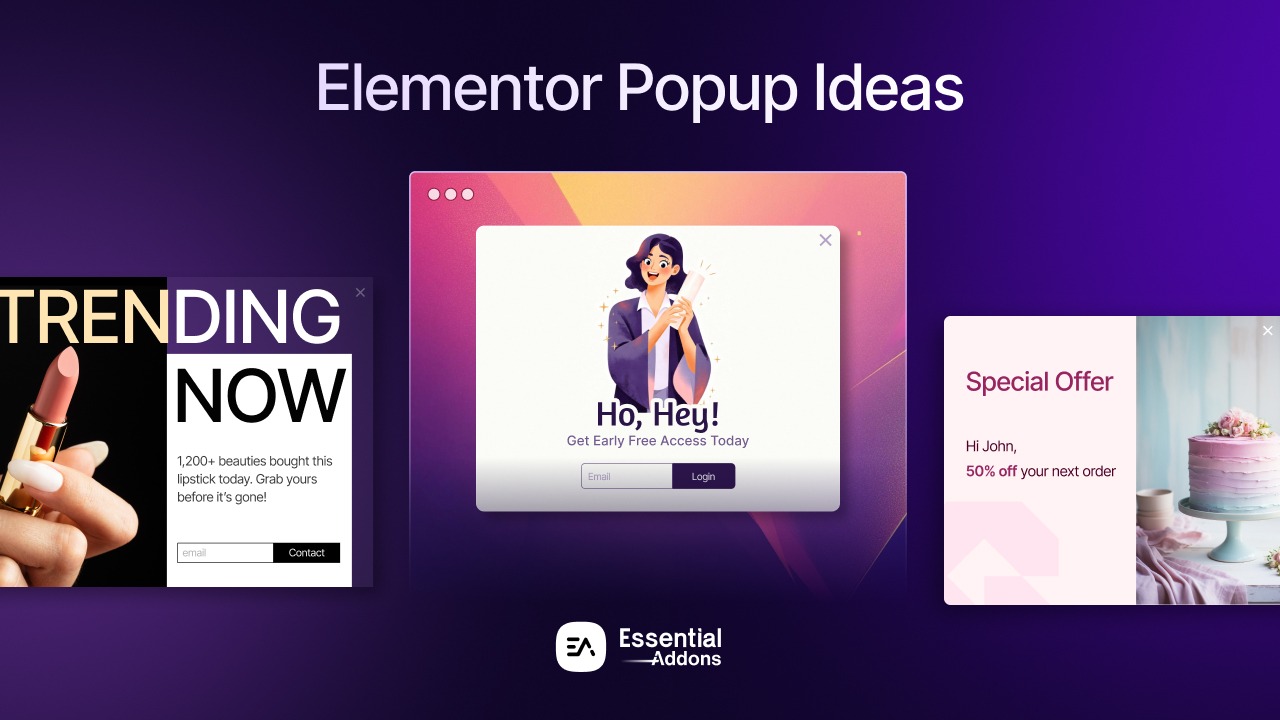
In this blog, we will explore 5 Elementor popup ideas for an eCommerce website that will actually convert and improve your eCommerce store. Let us dive deep into it more.
Quick Summary / TL;DR
Too Long; Did not Read? Here is what you need to know:
| If You Want To | Use This | Expected Impact | Time Required |
| Recover abandoned carts and boost last-minute sales | Exit-Intent Discount Popup | 10-12% recovery rate, 15-25% bounce reduction | 30-45 minutes |
| Build an email list to collect reviews | Customer survey form popup | 29.99% conversion rate (642% higher than standard) | 45-60 minutes |
| Capture immediate attention with limited-time offers | Welcome Mat Full-Screen Popup | 23.6% lift in email conversion, 21.6% for SMS | 20-30 minutes |
| Reduce cart abandonment proactively | Free Shipping Threshold Popup | 8-15% increase in average order value | 25-35 minutes |
| Target specific product categories or pages | Smart Product Recommendation Popup | 12-18% conversion rate with personalization | 40-50 minutes |
Why Elementor Popup Matters for eCommerce Success
Elementor popup can be a crucial strategy if used properly. By strategically implementing it on eCommerce stores, popups can increase sales and boost conversion rate. Here are some more data-backed decisions that prove why these popups matter for eCommerce.
1. Proven Conversion Performance That Outpaces Standard Web Elements
The numbers do not lie: website popups are among the best-converting opt-in methods available to eCommerce stores. According to Wisepops’ 2026 analysis of over 1 billion popup displays, the average popup conversion rate has climbed to 4.82% in 2026, representing an upward trend from 4.65% in previous years. More impressively, eCommerce-specific popups convert at 8.11% on average—significantly higher than embedded forms or sidebar widgets.
The average global eCommerce conversion rate is just 1.7% (IRP Commerce), but a well-designed popup can convert 4–5x higher. For stores struggling to break the 2-3% conversion barrier, popups represent one of the highest-leverage optimization opportunities available.
2. Combat the Persistent Cart Abandonment Crisis
Cart abandonment remains one of eCommerce’s most stubborn challenges. Current data from Dynamic Yield shows the global cart abandonment rate sits at a staggering 76.8% in 2026. This means that for every 10 customers who add items to their cart, nearly 8 will leave without completing their purchase.
Exit-intent popups specifically address this pain point. Research from Wisepops indicates that traditional exit-intent popups convert approximately 3% of abandoning visitors, while advanced implementations can achieve 10-12% recovery rates. For a store with 10,000 monthly cart additions and an average order value of $75, recovering just 10% of those 7,680 abandoned carts translates to $57,600 in additional monthly revenue.
3. Elementor’s Native Integration Eliminates Technical Barriers
Unlike third-party popup solutions that require additional subscriptions, complicated integrations, or code injection, Elementor’s built-in Popup Builder offers seamless WordPress integration. This native approach provides several critical advantages:
- Visual drag-and-drop editing with the same interface you’re already using
- No additional page load from external scripts (crucial when 0.1-second delays reduce conversions by 8.4%)
- Pre-designed templates specifically optimized for eCommerce scenarios
- Advanced targeting conditions, including WooCommerce-specific triggers (cart value, product categories, purchase history)
- Full design control without CSS coding or plugin conflicts
4. Data-Driven Personalization Capabilities
Modern consumers expect personalized experiences. Generic “Subscribe for 10% off” popups are losing effectiveness, but Elementor’s advanced conditions allow you to create hyper-targeted experiences:
- Show different popups based on cart value (high-value customers get VIP offers)
- Trigger specific messages for returning vs. new visitors
- Display category-specific promotions based on browsing behavior
- Target mobile vs. desktop users with device-optimized designs
According to eCommerce UX research, personalized popups can increase conversion rates by 250% or more compared to one-size-fits-all approaches.
5. Mobile Optimization Is Built-In, Not Bolted-On
With mobile commerce representing an increasing share of online sales—yet converting at lower rates (2.1% mobile vs. 3.5% desktop according to Elementor’s 2025 eCommerce statistics), mobile-optimized popups are essential, not optional.
Elementor’s responsive design system ensures your popups automatically adapt to mobile screens without creating the frustrating experiences that plague poorly-implemented solutions. This is critical because Google penalizes mobile sites with intrusive interstitials, and mobile users are 2.5x more likely to abandon sites with poor popup experiences.
How We Ranked These Elementor Popup Ideas
Our ranking methodology evaluates five critical factors based on industry research and real-world eCommerce performance data:
| Criteria | Weight | Why It Matters |
| Conversion Performance | High | Measures the impact on conversion rates based on industry benchmarks, research studies and documented case studies, making it the most critical factor in optimization decisions. |
| Implementation Complexity | Medium | Assesses technical difficulty, setup time and required integrations, which influence adoption speed and ongoing maintenance. |
| User Experience Impact | Medium | Evaluates alignment with established UX best practices and usability research to ensure improvements reduce friction rather than introduce it. |
| Versatility | Low | Determines how broadly the solution can be applied across different eCommerce niches, product types and use cases. |
| ROI Potential | Low | Estimates expected revenue impact relative to implementation effort, helping prioritize optimizations with measurable returns. |
5 Best Elementor Popup Ideas for eCommerce Websites
Here, in this section, we will learn more about the 5 best Elementor popup ideas and how to implement them, which will help you create a high-converting eCommerce website.
1. Exit-Intent Cart Abandonment Recovery Popup
What It Is: A strategically timed popup that appears when visitors show intent to leave your site (mouse movement toward the browser’s back button or tab close), offering a compelling reason to complete their purchase.
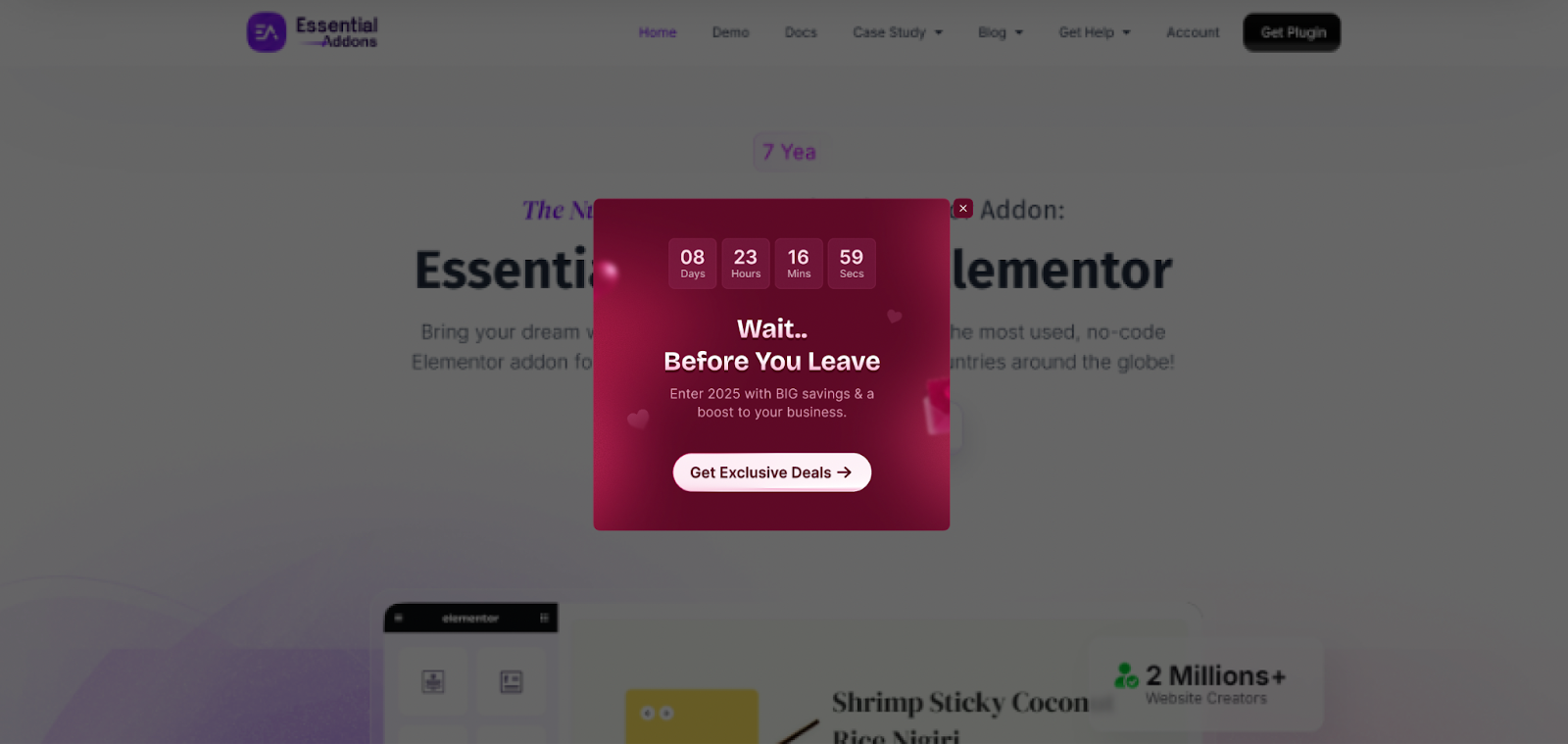
Why It Works: With cart abandonment rates hovering at 76.8% globally, exit-intent technology captures customers at the exact moment they’re about to leave. This popup converts 10-12% of triggered displays into completed purchases according to Wisepop’s research, dramatically improving your bottom line.
Pros And Cons
| Pros | Cons |
| ✅ Highest ROI of all popup types (direct recovery of lost revenue) | ❌ Exit-intent is less effective on mobile devices (no mouse movement tracking) |
| ✅ Converts 10-12% of abandoning visitors when properly implemented | ❌ Can feel manipulative if messaging is too aggressive |
| ✅ Non-intrusive timing (only appears when leaving) | ❌ Limited to one chance to convert per session |
| ✅ Works with existing traffic (no ad spend required) | |
| ✅ Easy A/B testing of different offer types |
How to Implement in Elementor
- In your WordPress dashboard, navigate to Templates → Popups → Add New
- Name your popup (e.g., “Cart Abandonment – Exit Intent”)
- Choose a template or start from scratch with a blank popup
- Design your popup with these essential elements:
- Attention-grabbing headline: “Wait! Don’t Leave Empty-Handed”
- Value proposition: Clear benefit (e.g., “Get 15% Off Your Order”)
- Urgency element: Time-limited offer or limited stock message
- Strong CTA button: “Claim My Discount” (not generic “Submit”)
- Easy exit option: Visible X button (never trap users)
Pro Tips:
- Test discount percentages (10%, 15%, 20%) to find the optimal margin balance
- For higher-value carts ($200+), offer free shipping instead of discounts
- Use urgency copy: “This offer expires in 15 minutes.”
- Include social proof: “Join 5,000+ happy customers.”
2. Customer Survey Form Popup
What It Is: A customer survey popup form helps to collect leads (such as email addresses or phone numbers) to share their reviews or feedback about the eCommerce store. Later, store owners can use this to send promotional offers based on their preferences.
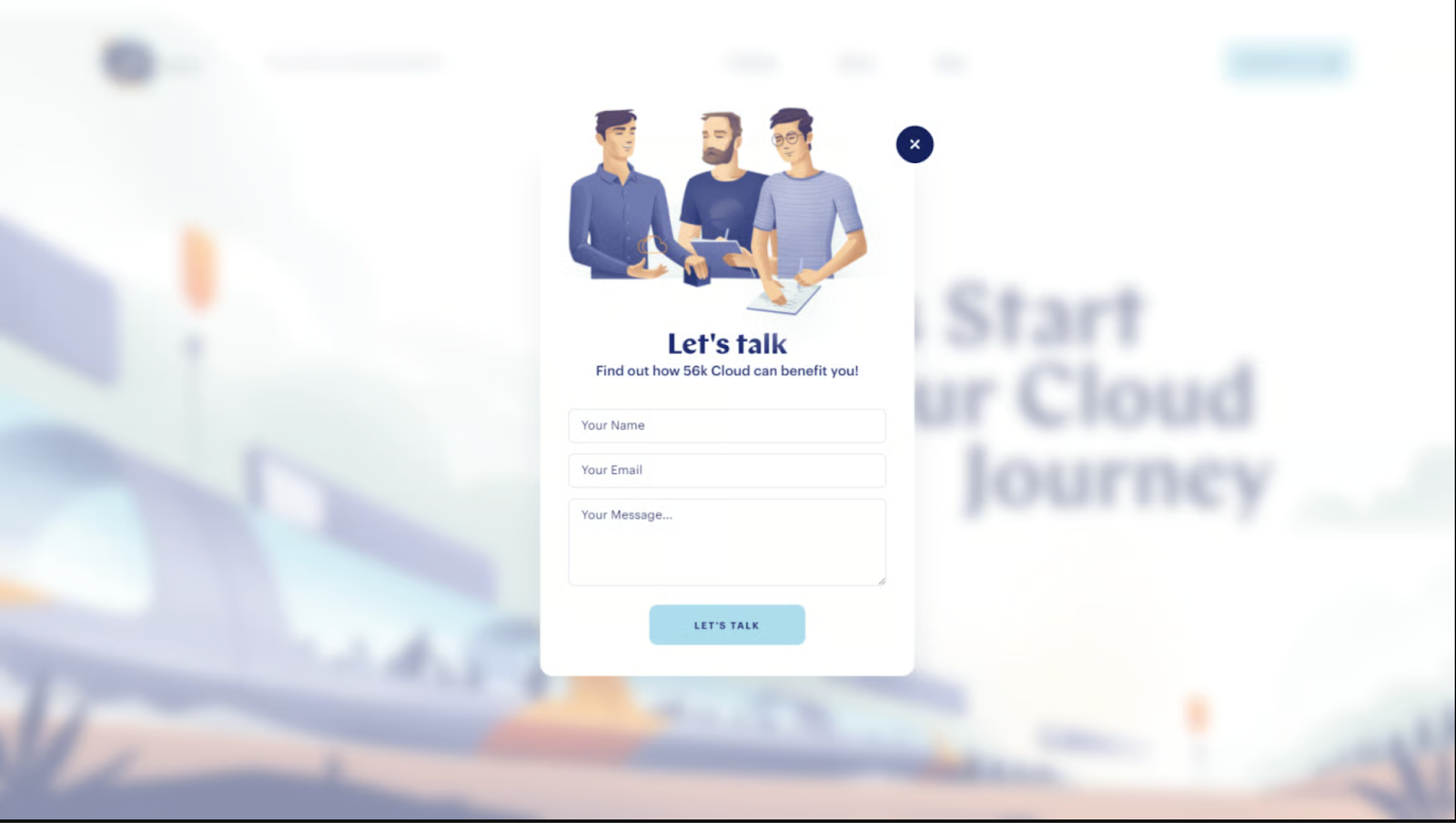
Why It Works: Popup surveys can help to collect high-quality leads as well as help to get proper customer reviews that help the store to improve. According to research, the average conversion rate for popup is 11.04%, which proves how much the audience can help to grow and improve an eCommerce store.
Pros And Cons
| Pros | Cons |
| ✅ Exceptional conversion rate | ❌ Must deliver replies to the customers (fulfillment complexity) |
| ✅ Helps customers to share feedback easily and efficiently | ❌ More complex setup than simple form popups |
| ✅ Builds email list faster than generic login options | ❌ Can create frustrations among visitors if they do not want to share any feedback |
| ✅ High shareability (customers share their reviews) | |
| ✅ Works exceptionally well with demographics who are looking for specific products |
Option A: Implement in Elementor
- In your WordPress dashboard, navigate to Templates → Popups → Add New
- Name your popup (e.g., “Collect Reviews”)
- Choose a template or start from scratch with a blank popup
- Design your popup with these essential elements:
- Attention-grabbing headline: “Your feedback matters.”
- Value proposition: Clear benefit (e.g., “Get 15% Off for the feedback”)
- Strong CTA button: Give an offer with CTA “Submit to Unlock Your Free Coupon.”
- Easy exit option: Visible X button
Option B: Use a plugin like NotificationX
- In your WordPress dashboard, install the NotificationX plugin.
- Then go to the NotificationX dashboard → Add New → Announcement
- Choose your preferred template from the design.
- Add title, content and button text for the announcement.
- Set the display condition for whom the popup will be displayed.
- Customize the design with Animation and Advanced timing.
- Click on ‘Publish’ to make the popup live on your Elementor website.
Pro Tips:
- All prizes should be legitimate (no “Sorry, try again” segments—it breaks trust)
- Weight probabilities toward lower discounts to protect margins
- Add social proof: “12,458 people responded today!”
- Use clear copy: “No purchase necessary” (maintains trust)
- Include a countdown timer to submit a review and grab the offer: “Coupon expires in 24 hours. Submit Your Review to Unlock it.”
3. Full-Screen First-Visit Popup
What It Is: A full-screen overlay that appears immediately when first-time visitors land on your homepage or key landing pages, presenting a compelling offer or value proposition before they engage with your site content.
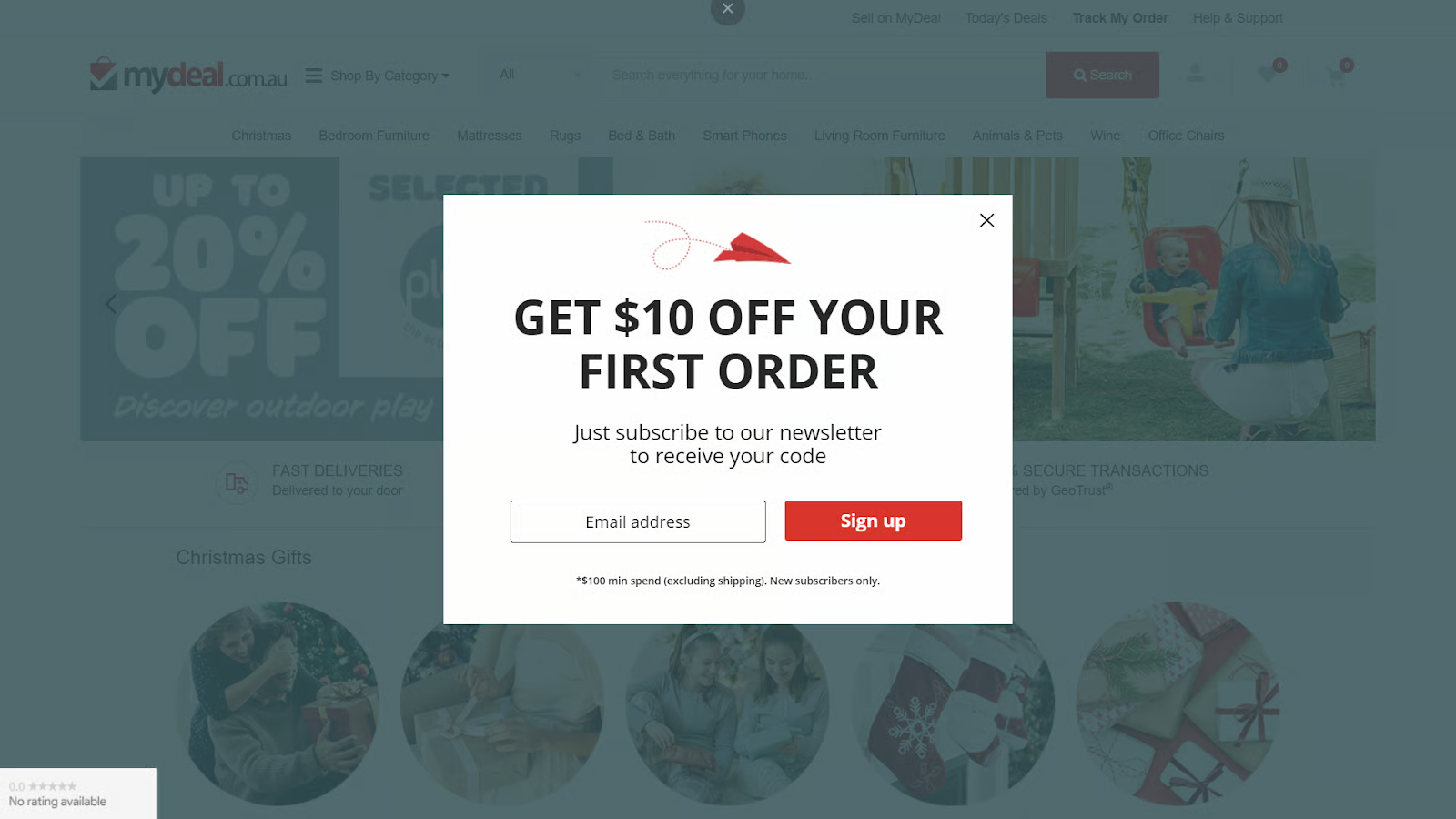
Why It Works: First impressions matter enormously in eCommerce. Research from Recart’s State of Popups study analyzing 10,000 Shopify stores found that full-screen popups lift conversion rates by 23.6% for email and 21.6% for SMS over traditional lightbox designs. The immersive format commands attention and clearly communicates your value proposition before shoppers encounter distractions.
Pros And Cons
| Pros | Cons |
| ✅ 23.6% higher email conversion than lightbox popups | ❌ May increase bounce rate if the offer is not compelling |
| ✅ Impossible to miss – ensures 100% visibility | ❌ Google may penalize intrusive mobile interstitials |
| ✅ Perfect for announcing major sales or launches | ❌ Blocks content access (must include easy exit) |
| ✅ Captures attention before competitor comparison | |
| ✅ Ideal for building an initial brand impression |
How to Implement in Elementor
- Create new popup: Templates → Popups → Add New
- Name: “First Visit Offer”
- Choose a full-screen template or customize one:
- Background: Brand-aligned color or high-quality hero image
- No borders or shadows (true fullscreen experience)
- Centered content with clear visual hierarchy
- Logo (top center, builds brand recognition)
- Compelling Headline (40-50px font size):
- “Welcome to [Brand Name]! Get 15% Off Your First Order.”
- “New Here? Enjoy Free Shipping on Orders $50+.”
- Subheading (explain value):
- “Join 50,000+ customers who trust us for [specific benefit]”
Pro Tips:
- Test welcome offer value: 10% vs. 15% vs. free shipping
- For luxury brands, offer “early access” instead of discounts
- Add animated elements (subtle) to draw the eye to the CTA
- Use Elementor’s Dynamic Content to show personalized offers
- Comply with Google’s guidelines: ensure easy dismissal on mobile
4. Free Shipping Threshold Progress Popup
What It Is: A smart popup that appears when shoppers add items to their cart and are within reach of a free shipping threshold (e.g., “Add $15 more for free shipping!”). This encourages customers to increase their order value to unlock the benefit.
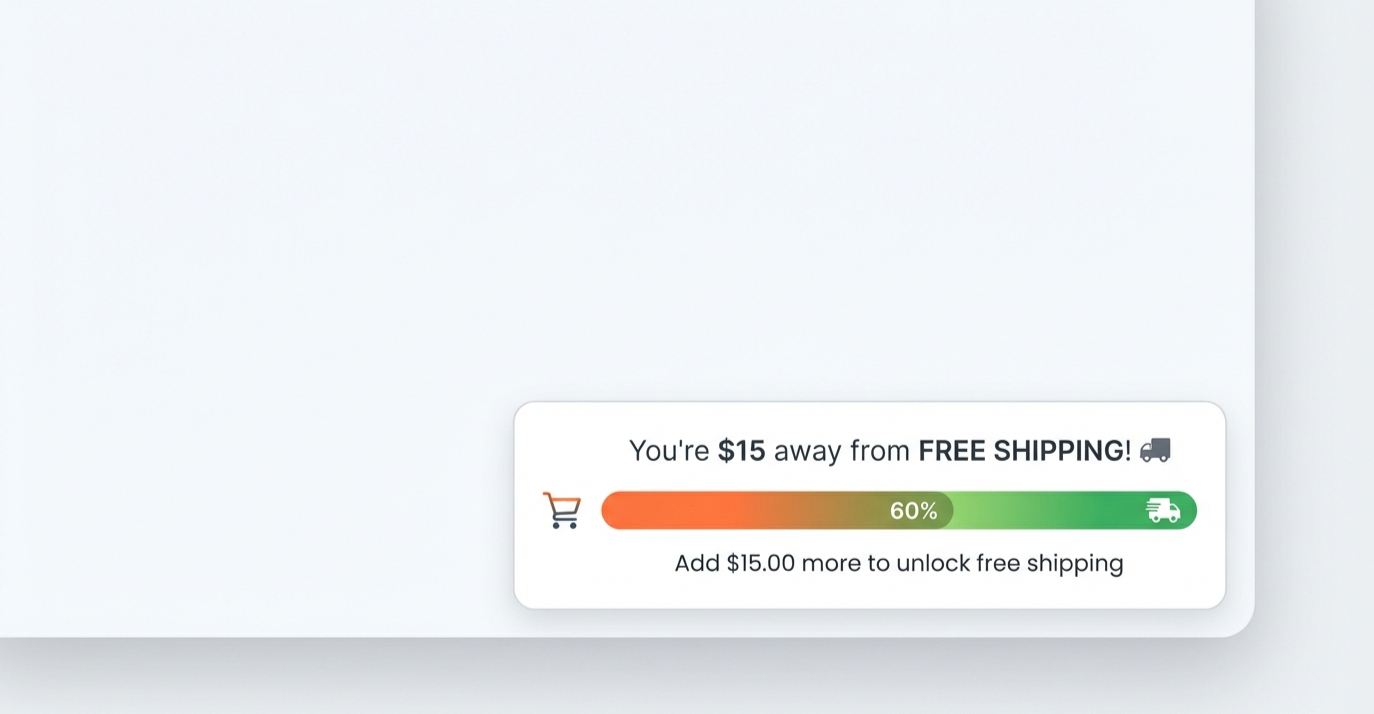
Why It Works: Free shipping is consistently ranked as the #1 factor in purchase decisions, influencing over 80% of online shoppers according to eCommerce research. The psychology of “so close” combined with a valuable reward (free shipping) creates powerful motivation to add one more item. Privy’s research shows this tactic can increase average order value by 8-15% while simultaneously reducing cart abandonment.
Pros And Cons
| Pros | Cons |
| ✅ Increases average order value by 8-15% | ❌ Requires WooCommerce or cart integration |
| ✅ Reduces cart abandonment (shipping costs are #1 abandonment reason) | ❌ Needs accurate real-time cart value calculation |
| ✅ Creates urgency without discount pressure on margins | ❌ Complex to implement without custom code or plugins |
| ✅ Enhances customer satisfaction (they “earn” free shipping) | |
| ✅ Encourages product discovery (adds browsing motivation) |
How to Implement in Elementor
Option A: Using Elementor Template
- Templates → Popups → Add New
- Name: “Free Shipping Threshold Popup”
- Design a compact, non-intrusive popup:
- Small popup (400px wide, bottom-right corner position)
- Headline: “You’re so close to FREE SHIPPING! 🎉”
- Progress bar showing current cart value vs. threshold
- Dynamic text: “Add just $15 more to unlock free shipping.”
- CTA button: “Continue Shopping” (links back to products)
Option B: Using WooCommerce Notice Plugin
Install WooCommerce Free Shipping Notifications, then embed the notification in the Elementor store.
Pro Tips:
- Use celebratory animation when the threshold is reached
- Show “Almost there!” emoji progression (e.g., 😊 → 😃 → 🎉)
- A/B test threshold amounts ($50 vs $60 vs $75)
- Highlight that free shipping applies to the current order only
- Track AOV before/after implementation to measure impact
- Consider tiered thresholds: “$50 = free standard, $100 = free express”
5. Smart Product Recommendation Popup with AI Personalization
What It Is: An intelligent popup that analyzes visitor behavior (pages viewed, time spent, products clicked) and displays personalized product recommendations or offers based on their browsing patterns. This can include “Frequently Bought Together,” category-specific offers, or complementary product suggestions.
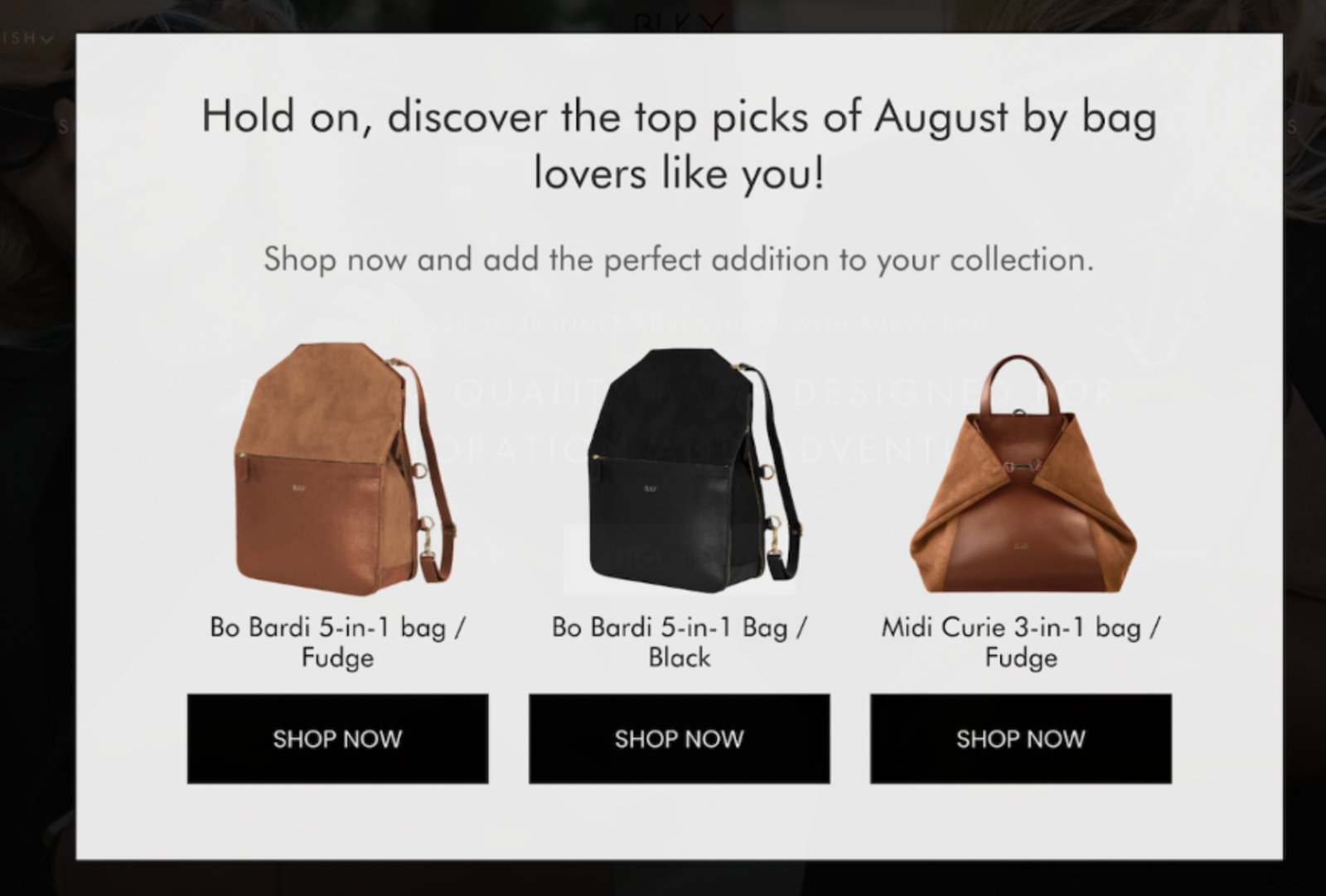
Why It Works: Generic popups treat all visitors the same, but research shows personalized experiences drive significantly higher engagement. According to eCommerce personalization studies, personalized popups can increase conversion rates by 250% compared to one-size-fits-all approaches. By showing relevant products at the right moment, you reduce decision fatigue and guide customers toward items they’re likely to purchase.
Pros And Cons
| Pros | Cons |
| ✅ 250% higher conversion vs. generic popups | ❌ Requires sophisticated tracking and data analysis |
| ✅ Enhances user experience with relevant suggestions | ❌ Implementation complexity is the highest of all popup types |
| ✅ Increases cross-selling and upselling opportunities | ❌ May require paid plugins or custom development |
| ✅ Works throughout the customer journey (browse, cart, checkout) | ❌ Privacy concerns (must comply with GDPR/CCPA) |
| ✅ Scalable (improves as you collect more data) |
How to Implement in Elementor
- Templates → Popups → Add New
- Name: “Smart Recommendations – [Category]”
- Design a medium-sized popup (600px wide):
- Headline: “Since You’re Looking at [Category]…”
- Subheadline: “Customers also loved these [Product Type]”
- Product Grid: 3-4 recommended products
- CTA: “Add to Cart” buttons for each product
- Exit option: “No Thanks” link
Using Elementor Pro’s WooCommerce Builder:
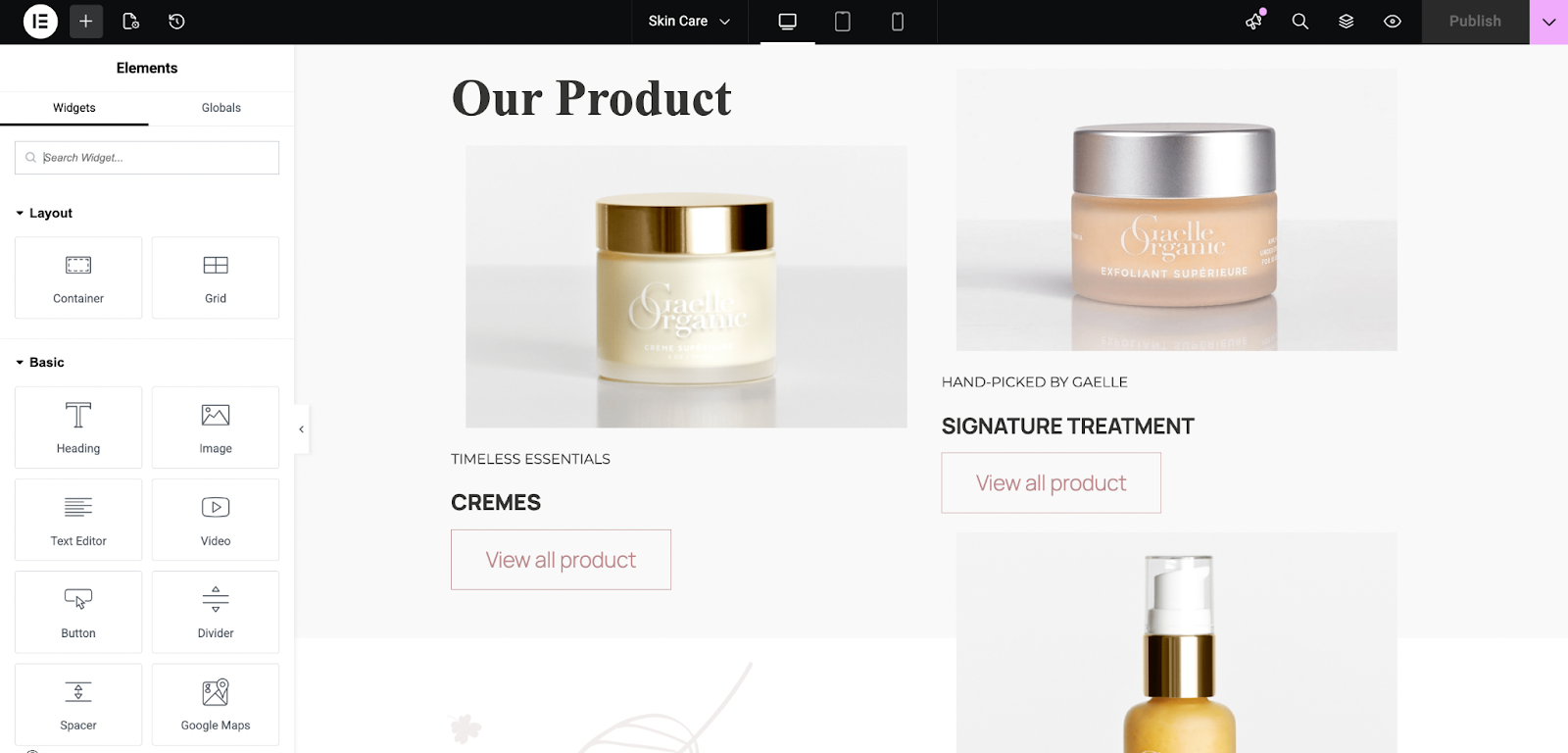
- Add Products Widget to popup
- Configure product source:
- Query Type:
- “Related Products” (based on tags/categories)
- “Up-Sells” (manually defined in WooCommerce)
- “Recently Viewed” (requires WooCommerce Recently Viewed Products plugin)
- Query Type:
- Set Number of Products: 3-4 (avoid overwhelming choice)
- Enable Quick View or direct Add to Cart buttons
- Style product cards to match your brand
Create Behavior-Based Triggers
Set up multiple popup variations for different scenarios:
Scenario A: Category-Based Recommendations
- Conditions: Show on Product Category = [Specific Category]
- Products to Show: Items from complementary categories
- Example: Viewing “Laptops” → Show “Laptop Bags & Accessories”
Scenario B: Time-Based Urgency
- Trigger: After 60 seconds on Product Page (high intent signal)
- Message: “Still deciding? Here’s what makes [Product] special”
- Include: Customer reviews, comparison chart, or limited-time offer
Scenario C: Cart Value Upsell
- Conditions: Cart Total > $100 (high-value customers)
- Message: “Complete Your Collection”
- Products: Premium or complementary items
Scenario D: Abandoned Browse Recovery
- Trigger: Exit Intent on product pages (not cart page)
- Message: “Before You Go… These Are Also Popular”
- Products: Bestsellers from the same category
Pro Tips:
- Start simple (category-based) before adding AI complexity
- Limit recommendations to 3-4 products (choice paradox)
- Use high-quality product images (lifestyle shots, not just white background)
- Add scarcity: “Only 3 left in stock” for inventory pressure
- Include ratings/reviews to build trust
- Test different headlines: “Complete Your Look” vs. “You Might Also Like”
- Respect privacy: Be transparent about data collection
- Exclude recently purchased items (don’t recommend what they just bought)
Implementation Difficulty Comparison Table
| Popup Type | Technical Difficulty | Design Complexity | Integration Requirements | Maintenance Level | Overall Time Investment |
| Exit-Intent Discount | ⭐⭐ Moderate | ⭐ Easy | Elementor Pro, WooCommerce coupon system | ⭐ Low (update offers quarterly) | 30-45 minutes |
| Feedback Form | ⭐ Easy | ⭐⭐ Moderate | Elementor Pro + Royal Addons/Unlimited Elements, Email service | ⭐Low | 45-60 minutes |
| Welcome Mat Full-Screen | ⭐ Easy | ⭐⭐ Moderate | Elementor Pro, Email service | ⭐ Low (seasonal updates) | 20-30 minutes |
| Free Shipping Threshold | ⭐⭐⭐⭐ Hard | ⭐⭐ Moderate | Elementor Pro, WooCommerce, custom code OR shipping plugin | ⭐⭐⭐ High (threshold adjustments) | 40-50 minutes (basic), 2-3 hours (advanced) |
| Smart Product Recommendations | ⭐⭐⭐⭐⭐ Very Hard | ⭐⭐⭐ Complex | Elementor Pro, WooCommerce, Recommendation plugins/AI services | ⭐⭐⭐⭐ Very High (continuous optimization) | 40-50 minutes (basic), 4-8 hours (AI-powered) |
A Quick Walkthrough of Implementing Elementor Popup on Your eCommerce Store
Since we have already covered the basic Elementor popup. But for a quick look you can have a look at the Elementor PRO version. To configure the popup check the Elementor documentation. Or if you are better with visualization, check the video.
Common Mistakes to Avoid When Creating Elementor Popups
Even though popups are highly effective for conversion, some common mistakes can make them less effective. In this part, let us know more about the common mistakes that eCommerce store owners can make while creating popups and how to avoid them.
1. Showing Popups Immediately on Page Load (The “0-Second Mistake”)
The Problem: Displaying popups the instant someone lands on your site is the #1 complaint in Nielsen Norman Group’s UX research on popups. Visitors have not had time to evaluate your brand, products, or content. Immediate popups feel disrespectful and increase bounce rates by 15-25%.
The Fix: Implement strategic delays:
- Homepage: 15-30 second delay minimum
- Product pages: 5-10 seconds (allow product evaluation)
- Blog content: 60+ seconds or 50% scroll depth (signals engagement)
- Use behavioral triggers: Exit intent, scroll depth, or time on page instead of immediate display
2. Treating Every Visitor the Same (The “One-Size-Fits-All” Trap)
The Problem: Showing the same “Subscribe for 10% off” popup to everyone—including existing customers, visitors from paid ads, and people already in your email list—creates frustration and appears tone-deaf.
The Fix: Leverage Elementor’s advanced conditions:
- Exclude logged-in users who already subscribed
- Different offers for new vs. returning visitors
- Segment by traffic source: Paid ads get instant value, organic traffic gets nurture content
- Device-specific: Mobile users see simplified popups
- Cart value targeting: High-value shoppers get premium offers
3. Ignoring Mobile Popup Experience
The Problem: Desktop-designed popups often become unusable on mobile—text too small, buttons off-screen, difficult to close. Mobile users are 2.5x more likely to abandon sites with poor popup experiences, and Google penalizes mobile sites with intrusive interstitials.
The Fix: Mobile-first popup design:
- Test on actual devices, not just a desktop responsive preview
- Minimum close button size: 44×44 pixels (thumb-friendly)
- Simplified copy: 50% less text than the desktop version
- Single-column layouts (never side-by-side on mobile)
- Delayed triggers on mobile: 5-7 seconds longer than desktop
- Consider mobile-specific popups: Slide-in bars instead of full overlays
- Ensure easy dismissal: Large X button, background tap to close
4. Making It Impossible Or Unclear How to Close the Popup
The Problem: Hidden close buttons, tiny X icons, or requiring form submission to dismiss popups create terrible UX and violate accessibility standards. This practice damages trust and brand perception.
The Fix: Always provide clear exit options:
- Visible X button in top-right corner (standard convention)
- Minimum 24×24 pixels for close icon (44×44 for mobile)
- Allow background click to dismiss (when appropriate)
- Text escape option: “No thanks” or “Maybe later” links
- Never require email submission to close
- Use negative framing sparingly: “No, I prefer paying full price” (can work but feels manipulative)
5. Ignoring Data And Never A/B Testing
The Problem: Launching a popup and leaving it unchanged for months (or years) means missing optimization opportunities. Popup performance degrades over time as audiences change and offers become stale.
The Fix: Implement continuous testing:
- Test offers: 10% vs. 15% discount vs. free shipping
- Test timing: 15s vs. 30s vs. exit intent
- Test copy: Question vs. statement headlines
- Test design: Full-screen vs. lightbox vs. slide-in
- Use Elementor experiments or Google Optimize
- Review metrics monthly: Conversion rate, dismissal rate, revenue impact
- Update seasonal offers (Halloween, Black Friday, holiday-specific)
Making Elementor Popups Work for Your eCommerce Store
Elementor popups represent one of the highest-ROI optimizations available to eCommerce site owners—but only when implemented strategically. The data is clear: well-designed, properly targeted popups can convert at 4-30% rates (depending on type).
With Elementor Pro’s native popup builder, you have all the tools needed to create conversion-optimized popups without coding, third-party subscriptions, or complex integrations. The question is not whether you should use popups. The question is how strategically you will implement them.
If you found this blog helpful, join our community to stay updated with the latest articles. You can also subscribe to our blog for in-depth tutorials and tips.
Frequently Asked Questions (FAQ)
Do I need Elementor Pro to create popups, or can I use the free version?
Elementor’s Popup Builder is a Pro-exclusive feature. The free version of Elementor does not include popup functionality. However, if you are committed to using Elementor for your eCommerce site, Elementor Pro is a worthwhile investment (starting at $59/year) as it also includes the WooCommerce Builder, Theme Builder, Form Builder, and 100+ Pro widgets that significantly enhance eCommerce functionality.
Will Elementor popups hurt my SEO or Google rankings?
Not if implemented correctly. Google specifically penalizes intrusive mobile interstitials that block content access immediately on page load from search results. To stay safe:
✅ Use delayed triggers (10+ second delay)
✅ Provide easy dismissal (clear X button)
✅ Don’t cover main content on mobile
✅ Use appropriate popup sizes (not full-screen on mobile immediately)
✅ Allow background scroll or content access
What’s the optimal popup conversion rate I should aim for?
Benchmarks vary significantly by popup type and industry:
– Standard email capture popups: 3-5% is average, 7%+ is excellent
– eCommerce-specific popups: 8.11% average (Wisepops data)
– Exit-intent popups: 3-5% average, 10-12% for well-optimized versions
– Welcome mat full-screen popups: 5-10% average, 15%+ is top-tier
How many Elementor popups should I have on my eCommerce site?
Quality over quantity. The ideal number is 3-5 strategically different popups with proper targeting:
1. Welcome offer popup (new visitors, homepage)
2. Exit-intent cart abandonment (cart page, high-value products)
3. Product recommendation popup (specific categories)
4. Seasonal promotion popup (temporary campaigns)
5. Special segment popup (VIP customers, wholesale buyers)
Should I offer a discount in every popup, or are there better strategies?
No. Diversify beyond discounts. While discount popups convert well initially, they create these problems:
– Margin erosion: Constant discounts reduce profitability
– Brand devaluation: Trains customers to wait for sales
– Abandonment training: Users intentionally abandon to trigger offers
Better alternatives:
– Free shipping (preserves perceived value better than percentage discounts)
– Exclusive content: Buying guides, style quizzes, product finders
– Early access: New product previews for email subscribers
– VIP membership: Points program or exclusive perks
– Social proof: “Join 50,000+ customers” (no discount needed)
– Value-add: Gift with purchase, free samples, extended warranty
Can Elementor popups work well on mobile, or should I disable them for mobile users?
Elementor popups absolutely work on mobile when designed properly. In fact, mobile traffic often represents 60-70% of eCommerce visitors, so ignoring mobile popup opportunities means missing most of your audience. Mobile popup conversion rates in eCommerce average 6-9% (slightly lower than desktop’s 9-12%, but still highly valuable).
What’s the difference between exit-intent popups and timed popups—which works better?
Both have distinct use cases, and combining them is often optimal:
Exit-Intent Popups:
Trigger: Mouse movement toward browser controls (back button, tab close, address bar)
Best for: Cart abandonment recovery, saving leaving visitors
Conversion rate: 3-5% average, up to 10-12% when optimized
Pros: Non-intrusive (only appears when leaving), high intent signal
Cons: Doesn’t work well on mobile (no mouse tracking), only one chance per session
Timed Popups:
Trigger: After a specific time on the page (e.g., 30 seconds)
Best for: Email capture, welcome offers, content engagement
Conversion rate: 4-8% average for eCommerce
Pros: Works on all devices, allows engagement before exit
Cons: Can feel interruptive if timing is too aggressive
Are there specific industries or product types where popups don’t work well?
While popups work broadly across eCommerce, effectiveness varies significantly by context:
Popups work exceptionally well for:
✅ Fashion & apparel (29.99% conversion with spin-to-win)
✅ Beauty & cosmetics (high engagement with offers)
✅ Home goods & decor (strong response to first-time buyer discounts)
✅ Digital products (low marginal cost allows generous offers)
✅ Subscription services (welcome offers drive trials)