Time is one of the most valuable assets in web development. Whether you are a freelance developer, a growing agency or an in-house team, delivering high-quality websites quickly has become an essential competitive advantage you must have.
In fact, according to industry reports of 2025, developers spend up to 40% of their time on repetitive tasks and revisions rather than on actual feature development.
The good news? Cutting down website development time does not mean cutting corners. With the right strategies, tools and workflows, you can significantly reduce the hours you spend on repetitive tasks, debugging, revisions and unnecessary back-and-forth — and instead focus on what truly matters: building great experiences for your users.
In this guide, we will walk you through 13 proven, smarter ways to accelerate your website development time and process. These are practical, immediately actionable tips that developers and teams of all sizes can implement today. Tools like Elementor and add-ons such as Essential Addons make it easier than ever to build feature-rich websites faster.
TL;DR: Quick Summary – 13 Ways to Cut Website Development Time
Here’s a concise overview of the strategies we covered in our complete guide on how to reduce website development time and boost your workflow. Use this as a quick reference to streamline your next project.
| # | Strategy | Key Benefit |
| 1 | Start With a Clear Project Blueprint | Prevents scope creep, reduces revisions and saves time planning mid-project. |
| 2 | Use Elementor Templates | Build pages faster with pre-made layouts; ensures design consistency. |
| 3 | Build a Reusable Component Library | Stop recreating common sections; save hours across projects. |
| 4 | Establish a Standardized Workflow | Keep consistent setup, easier onboarding, faster handoffs. |
| 5 | Leverage Global Styles | Update colors, fonts and spacing globally; make quick design adjustments. |
| 6 | Use a Local Development Environment | Test faster, make risk-free changes and manage multiple projects easily. |
| 7 | Automate Repetitive Tasks | Reduce manual work for SEO, images, backups, security and deployments. |
| 8 | Implement a Starter Theme or Child Theme | Start projects from a pre-configured foundation; save setup time. |
| 9 | Master Efficient Client Communication | Prevent delays with clear feedback and structured revisions. |
| 10 | Use Version Control & Collaboration Tools | Track changes, avoid conflicts and collaborate seamlessly. |
| 11 | Optimize Performance Early | Prevents rework and improves user experience & conversions. |
| 12 | Follow a Pre-Launch Checklist | Launch websites smoothly and keep it error-free. |
| 13 | Use AI Tools (Elementor AI) | Generate content and layout ideas quickly; combine with Essential Addons widgets for fast implementation. |
💡 Pro Tip: Keep this table in-hand for every project kickoff — it’s a quick reminder of the smartest ways to save development time.
13 Smarter Strategies to Reduce Website Development Time
Now that you have a quick overview of all the strategies, let’s dive deeper into each one. Let us start with the very first and most crucial step: creating a clear project blueprint. Laying this foundation correctly ensures that every subsequent stage — from design to development to launch — is faster, more organized and less prone to costly revisions.
1. Start With a Clear Project Blueprint Before Writing a Single Line of Code
One of the biggest time drains in web development is unclear requirements. Jumping straight into code without a solid plan often leads to mid-project scope changes, endless revisions and rework that can double your development time.
Before anything else, invest time in creating a comprehensive project blueprint that covers:
- Goals and objectives of the website
- Target audience and user personas
- Sitemap and page hierarchy
- Content structure and key sections for each page
- Functionality requirements (forms, e-commerce, membership, etc.)
- Design references, brand guidelines, and color palettes
- Technology stack and hosting requirements
- Timeline, milestones, and deliverable deadlines
Tools to Help You Plan Effectively
Use tools like Notion, Trello, or Asana for project management. Wireframing tools like Figma, Balsamiq, or even pen and paper can help you visualize the structure before development begins. A shared document that both the client and the developer sign off goes a long way in preventing scope creep.
💡 Pro Tip:
Always get written approval on wireframes and content structure from your client before moving onto the design or development phase. This single step can save you days of revisions later.
2. Use a Page Builder with a Rich Library of Pre-Built Templates
Building every page layout from scratch is time-consuming and unnecessary. Modern web builders like Elementor come with a vast library of professionally designed templates that you can customize to match your brand in a fraction of the time it would take to build from point zero.
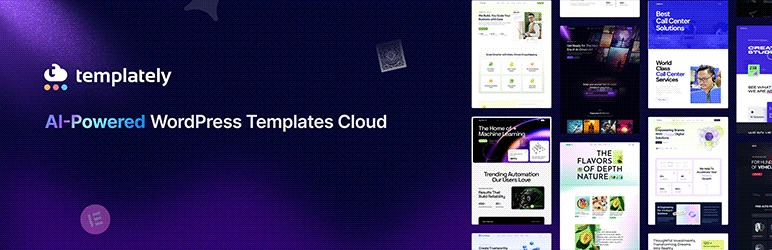
Many developers use Essential Addons’ 110+ elements together with Elementor templates to assemble complex layouts much faster. With Essential Addons for Elementor, you get access to 6500+ ready-to-use templates by Templately that cover virtually every use case — landing pages, portfolios, agency sites, blogs, WooCommerce stores, and more. Simply import a template, swap out the content, adjust the colors and fonts, and you are done.
Benefits of Template-Based Development
- Dramatically reduces the time spent on layout and design decisions
- Ensures a professional look and feel from the very first draft
- Gives clients a tangible preview quickly, reducing revision cycles
- Makes it easy to maintain design consistency across multiple pages
💡 Pro Tip:
When working with templates, create a custom template kit or reusable design component library that matches your most common client types. This way, you have a ready-to-use starting point for every new project.
3. Build a Reusable Component Library
How many times have you built the same hero section, pricing table, testimonial block, or FAQ accordion from scratch for different projects? Every time you reinvent these components, you are wasting hours of development time.
Instead, build a personal (or team-wide) component library — a collection of reusable design blocks and layout patterns that you can drop into any project with little customization where needed. In Elementor, you can save individual sections, columns, or even full-page templates to the Global Widget or My Templates library.
What to Include in Your Component Library
- Navigation bars and footer layouts
- Hero sections with various layout styles
- Feature sections, service grids, and icon boxes
- Testimonial carousels and review sections
- Pricing tables and comparison charts
- Contact forms and call-to-action sections
- Blog post grids and archive layouts
- FAQ sections and accordion elements
Essential Addons for Elementor provides 110+ advanced elements that eliminate the need for custom coding, helping developers assemble complex layouts significantly faster. From image comparison sliders and before-and-after viewers to creative Twitter feeds, event countdown timers, and WooCommerce product showcases. Having access to this extensive widget library means you spend less time coding custom functionality and more time assembling polished pages quickly.
💡 Pro Tip:
Tag and categorize your saved templates clearly so you and your team can find them easily. A well-organized library can shave hours off every new project.
4. Establish a Standardized Development Workflow
One of the hidden time sinks in web development is inconsistency in how projects are set up and managed.. When every project starts differently — different folder structures, different naming conventions, different Git workflows — your team wastes time just getting oriented.
A standardized workflow defines how projects are set up, organized, developed, tested and deployed. Once your workflow is documented and followed consistently, onboarding new team members becomes faster and handoffs between team members are seamless.
Elements of a Standardized Workflow
- A defined project folder and file naming structure
- A standard WordPress starter theme or child theme
- A baseline set of plugins is installed and configured for every project
- A Git-based version control process with clear branching conventions
- A staging environment setup process for client review
- A pre-launch checklist covering performance, SEO, and accessibility
- A deployment process that minimizes downtime and risk
💡 Pro Tip:
Document your workflow in a team handbook or internal wiki. When everything is written down, you spend less time explaining and more time executing.
5. Use Global Styles to Update Your Entire Website Instantly
Manually hunting down every instance of a color, font or spacing value to update your design is one of the most time-consuming tasks in web development. Global styles solve this problem by letting you define design properties once and apply them everywhere.
Elementor’s Global Colors and Global Fonts feature — which works seamlessly with Essential Addons widgets — allows you to define your brand palette and typography in one place. When the client wants to change the primary brand color, you update it once and every element that uses that global color updates automatically.
What to Globalize
- Primary, secondary, and accent brand colors
- Heading and body typography (font family, size, weight, line height)
- Button styles (default, hover, and active states)
- Box shadow and border radius values for UI consistency
- Section padding and margin spacing standards
This approach not only saves significant time during the initial build but also makes ongoing maintenance and design updates incredibly fast.
6. Use a Local Development Environment to Speed Up Iteration
Working directly on a live server is slow, risky and disruptive. Every change requires an upload and a mistake can break the live site for real users. Local development environments eliminate these problems entirely.
Tools like WordPress Playground, XAMPP, LocalWP (formerly Local by Flywheel), etc let you spin up a fully functional WordPress environment on your local machine in minutes. You get instant page reloads, no upload delays, and a completely safe sandbox to experiment in.
Why Local Development Saves Time
- No waiting for file uploads or server responses
- Changes are reflected instantly in the browser
- You can experiment freely without risking the live site
- Multiple projects can be managed on the same machine simultaneously
- Database changes, plugin testing, and theme updates are all risk-free
💡 Pro Tip:
Use LocalWP’s push-to-staging feature to seamlessly move your local site to a staging environment for client review — no manual file transfers needed.
7. Automate Repetitive Tasks with the Right Plugins and Tools
Many of the tasks that consume your time in web development are repetitive and predictable: resizing images, optimizing media, generating sitemaps, configuring SEO settings, setting up redirects, and more. These are tasks where automation tools shine.
Automation Opportunities in WordPress Development
- Page-design: Tools like Essential Addons helps reduce development time by offering ready-made widgets for common website elements like advanced tabs, content toggles, data tables, and marketing sections.
- Image optimization: Tools like Smush or ShortPixel automatically compress and optimize images on upload, so you never have to do it manually
- SEO configuration: Rank Math or Yoast SEO can auto-generate meta tags, sitemaps, and structured data, reducing manual SEO setup time significantly
- Backups: UpdraftPlus or BlogVault can schedule automatic backups to cloud storage, eliminating the need for manual backup procedures
- Security scanning: Wordfence or Sucuri can automatically scan and alert you to security issues, reducing reactive troubleshooting time
- Content deployment: WP Migrate DB Pro makes it easy to move databases between local, staging and production environments with a few clicks
For developers who work with custom themes or JavaScript-heavy projects, tools like Gulp, Webpack, or Vite can automate CSS preprocessing, JavaScript bundling, browser refresh on save, and production build optimization. Setting these up once creates a dramatically faster development experience throughout the entire project.
8. Implement a Reusable Starter Theme or Child Theme
Your WordPress theme is the foundation of every project. If you are building a new child theme from scratch for every client, you are repeating a significant amount of setup work unnecessarily.
Instead of starting every project from scratch, experienced developers create a starter theme or reusable site framework. You can create and maintain a custom starter theme, a bare-bones, fully configured child theme that includes all your standard customizations, typography settings, color variables, utility classes, and plugin configurations pre-applied. Every new project starts from this baseline, and you only customize what is unique to that client.
What Your Starter Theme Should Include
- Pre-configured Elementor global styles matching your default brand template
- Essential Addons for Elementor installed and configured
- A standard set of utility CSS classes for common layout needs
- Pre-configured header and footer templates
- Basic page templates for home, about, services, blog, and contact
- Standard custom post type registrations for portfolios, testimonials, and FAQs
- A functions.php file with your go-to helper functions pre-loaded
💡 Pro Tip:
Export your starter setup as a WordPress export file that includes theme settings, Elementor templates, and plugin configurations. This makes spinning up new projects even faster.
9. Master the Art of Efficient Client Communication
Poor project communication is one of the top causes of development delays in agency projects. Many developers underestimate how much time is lost to poor client communication. Unclear feedback, vague revision requests, and endless email chains can turn a two-week project into a two-month nightmare.
Improving your communication process — not just your technical skills — can dramatically reduce development time across every project.
Strategies for More Efficient Client Communication
- Use annotated screenshots tools like Markup.io or Pastel to collect precise visual feedback, eliminating vague descriptions like ‘make the logo bigger.’
- Set defined revision rounds in your contract and stick to them — unlimited revisions are a productivity killer
- Schedule regular, time-boxed check-in calls rather than responding to scattered emails throughout the day
- Create a shared Loom video walkthrough of each development milestone instead of writing long explanatory emails
- Use a client portal tool like HoneyBook or 17hats to centralize communication, approvals, and file sharing in one place
- Always send a written summary after every meeting or call to confirm decisions and next steps
💡 Pro Tip: Send your client a short explainer video using Loom when you deliver a draft. Seeing and hearing you explain the design decisions dramatically reduces confusion and revision requests.
10. Use Version Control And Collaborative Tools From Day One
Many solo developers and small teams skip version control because it feels like extra overhead. In reality, not using version control creates far more overhead — especially when something breaks and you need to roll back, or when a team member overwrites another’s work.
Git, combined with platforms like GitHub, GitLab, or Bitbucket, gives you a complete history of every change made to your codebase. You can branch for new features, revert to previous versions instantly, and collaborate without conflicts.
Collaboration Tools That Multiply Team Productivity
- GitHub or GitLab for code versioning and team collaboration
- Figma for design handoffs — developers can inspect CSS properties, spacing, and colors directly from design files
- Slack or Microsoft Teams for real-time communication, with integrations that notify the team when commits are pushed or deployments are triggered
- Notion or Confluence for documentation, technical notes, and process guides
- Linear or Jira for task tracking and sprint planning in larger teams
The upfront investment in setting up these tools pays back many times over in the reduced time spent on coordination, confusion, and conflict resolution.
11. Optimize Performance Early — Not Just at the End
Performance optimization is often treated as a final step before launch. But when performance issues are discovered late in development, fixing them can require significant rework — restructuring templates, replacing plugins, or rebuilding sections that were built without performance in mind. Research shows that a 1-second delay in page load time can reduce conversions by up to 7%, making performance optimization critical from the start.
By integrating performance best practices from the very beginning of development, you avoid the costly rework and ensure every design and plugin choice you make supports a fast website.
Early Performance Practices That Save Time Later
- Choose a lightweight, performance-optimized theme as your base (Hello Elementor is an excellent choice for Elementor-based projects)
- Use Essential Addons’ built-in lazy loading for images and iframes from the start
- Enable asset optimization in Essential Addons — load only the widgets and scripts you actually use on each page, not globally
- Choose hosting with server-side caching built in (e.g., Kinsta, WP Engine, or Cloudways)
- Use a CDN from day one for media and static asset delivery
- Compress and size images correctly before uploading — do not rely entirely on optimization plugins to fix poorly sized images
- Run Lighthouse or GTmetrix checks at the end of each major development sprint, not just at launch
💡 Pro Tip:
Essential Addons for Elementor includes a powerful asset loading control panel that lets you disable unused widget scripts on a per-page basis. Enabling this feature alone can dramatically reduce JavaScript and CSS payload on every page.
12. Create And Follow a Pre-Launch Checklist
Without a pre-launch checklist, the final hours before a website goes live can be chaotic and stressful — and things get missed. A comprehensive checklist ensures nothing is overlooked and transforms the launch process from a scramble into a smooth, confident handoff.
Essential Items for Your Pre-Launch Checklist
Here is a simplified pre-launch checklist many developers follow:
- All content has been reviewed, proofread, and approved by the client
- All images are properly optimized, sized, and have descriptive alt text
- All forms are tested and email notifications are working correctly
- All links — internal and external — have been tested and are working
- The website is fully responsive on mobile, tablet, and desktop viewports
- Google Analytics or another analytics tool is installed and tracking correctly
- An XML sitemap has been generated and submitted to Google Search Console
- Meta titles and descriptions have been set for all key pages
- The SSL certificate is active and the site loads securely over HTTPS
- A caching plugin is configured and active
- A security plugin is installed and configured
- A backup solution is scheduled and a recent backup has been taken
- Search engine indexing has been re-enabled (if it was blocked during development)
- 301 redirects are in place for any old URLs that have changed
- Browser compatibility has been tested across Chrome, Firefox, Safari, and Edge
Having this checklist as a standard document means you never have to create it from scratch — and you never have to worry about missing something critical on launch day.
13. Use AI Tools to Accelerate Development And Content Workflows
Artificial Intelligence (AI) is becoming a major productivity booster in modern web development. Many tasks that previously took hours, such as generating content, creating layouts, or suggesting design improvements, can now be handled in minutes using AI-powered features.
For developers and agencies juggling multiple projects, integrating AI into the workflow can drastically reduce time spent on repetitive or creative tasks, allowing teams to focus on strategy, functionality, and user experience.
Ways AI Can Speed Up Website Development
AI can assist developers and designers in multiple stages of the development process, including:
Content generation: Elementor’s AI features can help create website copy, product descriptions, and blog sections quickly, saving hours during the content preparation phase.
Design assistance: AI tools in Elementor can suggest layouts, generate headings, and even create variations of design to accelerate the design phase.
Learn more:
Elementor AI Guide: How to Automatically Create AI Logos
Elementor AI Website Planner: Build & Launch Your Website in Minutes
AI + Elementor + Essential Addons = Faster Website Creation
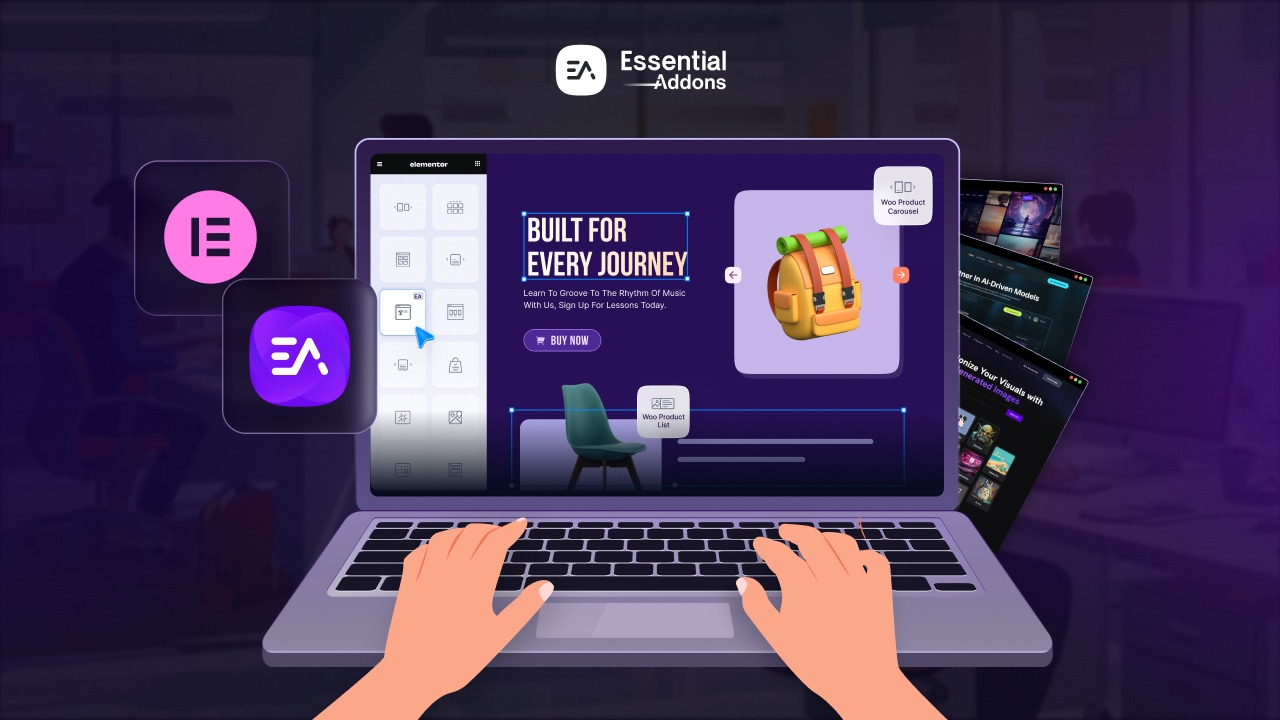
While AI powers content and design suggestions in Elementor, Essential Addons widgets help you implement those ideas instantly. For example, after generating content or layout ideas with Elementor AI, you can:
- Insert testimonials, pricing tables, or content toggles using Essential Addons
- Quickly assemble hero sections, portfolios, or WooCommerce layouts
- Apply pre-built sections while AI helps refine text and design
This combination allows you to move from concept to polished website much faster than manual creation alone.
Learn: How Agencies Use Elementor And Essential Addons to Deliver Projects Faster
💡 Pro Tip:
Use Elementor’s AI tools to generate the first draft of your content or layout ideas, then refine and implement them using Essential Addons’ widgets. This hybrid workflow maximizes efficiency without compromising quality.
Bonus Tip: Invest in Learning Your Tools Deeply
One of the most underestimated ways to save development time is to become deeply proficient in the tools you use every day. Most developers use their page builder, IDE, or design tool at the surface level — learning just enough to get by.
But when you invest time in truly mastering your core tools — including keyboard shortcuts, advanced features, and lesser-known capabilities — you can often complete the same tasks two to three times faster than before.
For Essential Addons users, this means exploring features like:
- The template library by Templately for quick page structure imports
- Conditional display rules to show or hide content based on user roles, device types, or schedule
- WooCommerce widgets for building complete product and checkout experiences visually
- The Advanced Menu for building complex navigation structures without custom code
Every hour you invest in learning your tools can save you five, ten, or even twenty hours over the course of a project.
Work Smarter, Build Faster, Deliver Better
Cutting down website development time is not about rushing. It is about eliminating waste — the wasted hours spent on repetitive tasks, unclear requirements, poor communication, and reinventing solutions you have already built before.
By implementing the strategies outlined in this guide — from thorough planning and template-based development to automation, global styles, and performance-first thinking — you can build better websites in significantly less time, with less stress and greater consistency.
Essential Addons for Elementor is built with these exact goals in mind. With over 100 advanced widgets, a rich template library, smart asset loading controls, and seamless Elementor integration, it gives you the building blocks to move fast without sacrificing quality.
Start applying these strategies on your next project, and experience the difference that smarter development workflows can make.
Is this article helpful to you? If you like this, then subscribe to our blog for more articles. You can have a look at our Documentation for more cool widgets of Essential Addons for Elementor. Also, join us on our Facebook community to interact with other Elementor users.
FAQ
How can developers reduce website development time?
Developers can reduce development time by using page builders, templates, reusable components, automation tools, and standardized workflows.
Does Elementor help speed up website development?
Yes. Elementor allows developers to visually build pages, reuse templates, and customize layouts quickly without writing code.
How does Essential Addons help developers work faster?
Essential Addons powers up Elementor with 110+ widgets and extensions and 6500+ ready templates (3000 templates only for Elementor platform) that help developers build complex websites faster.
Can templates really reduce website development time?
Yes. Templates allow developers to start with pre-designed layouts instead of building pages from scratch. By customizing existing templates, developers can significantly reduce design and layout time while maintaining professional and consistent website structures.
What tools help speed up WordPress website development?
Several tools can speed up WordPress development, including page builders like Elementor, widget libraries like Essential Addons, local development environments such as LocalWP, automation plugins for SEO and image optimization, and version control tools like Git. These tools help streamline workflows and eliminate repetitive tasks.
Is AI useful for speeding up website development?
Yes. AI-powered tools can help generate website content, suggest layouts, assist with coding, and optimize SEO elements. When combined with visual builders like Elementor and widget libraries such as Essential Addons, AI can significantly reduce the time required to design and launch websites.