The WordPress ecosystem has evolved rapidly over the past decade, and few tools have shaped modern web design like Elementor. What started as a drag-and-drop page builder is now positioning itself as a complete website creation ecosystem. With the launch of Elementor One, the company is moving beyond “just design” into performance, AI, and unified website management.
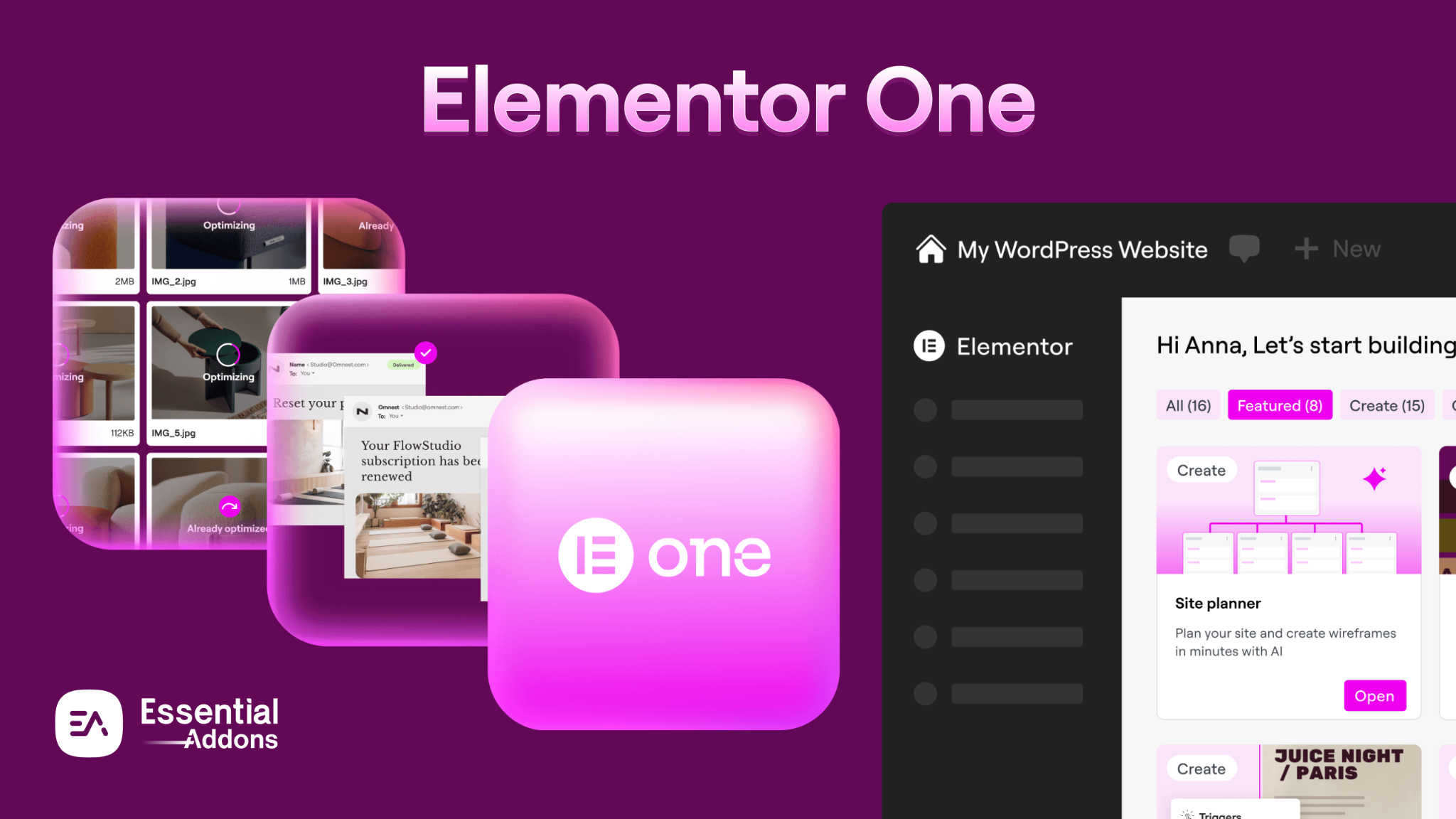
In this detailed guide, we will explore what Elementor One is, how it works, what sets it apart from Elementor Pro, and whether it is worth the investment in 2026.
The Evolution: From Page Builder to Complete Ecosystem
Elementor originally gained popularity as a visual WordPress builder that allowed users to design pages without touching code. Over time, it introduced Theme Builder, WooCommerce integration, popup builders, cloud hosting, AI tools and marketing widgets that gradually made it a powerful professional tool.
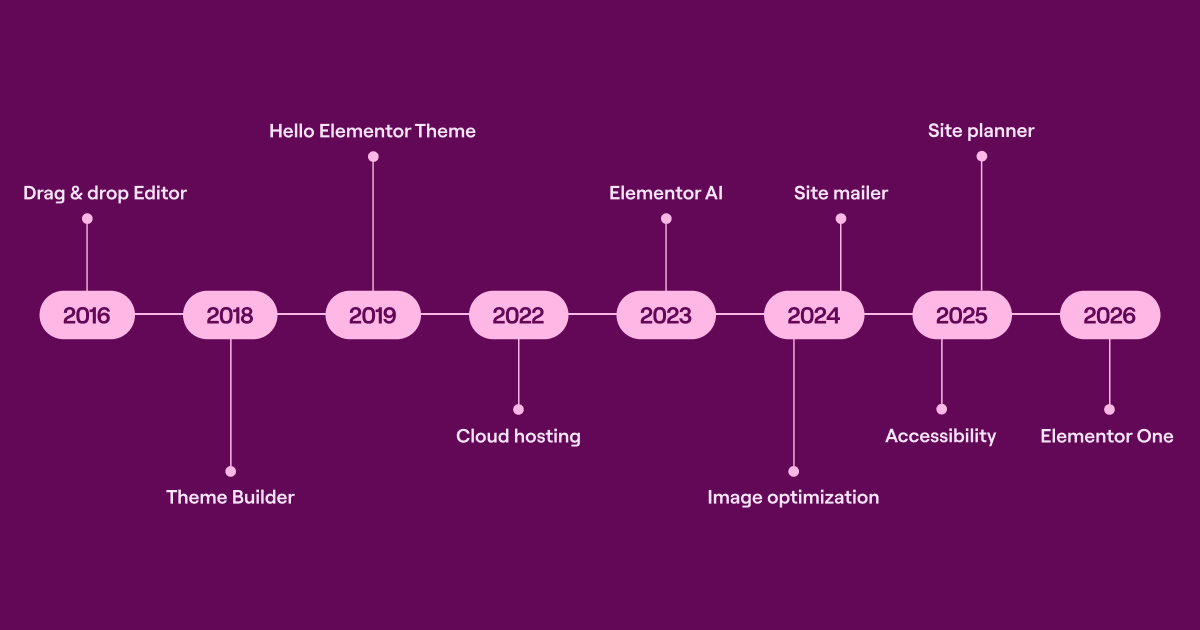
Elementor One represents the next step in that journey. Instead of selling separate feature-based upgrades, Elementor now offers a consolidated subscription that combines design, AI tools, optimization, accessibility, and support into one structured system. This shift reflects a broader industry trend: users want fewer plugins, fewer subscriptions, and a more streamlined workflow.
What Is Elementor One?

Elementor One is an all-in-one subscription model that bundles the full visual builder with additional growth and optimization tools. It includes everything previously available in Elementor Pro while expanding into AI generation, performance improvements, and accessibility enhancements.
Unlike traditional WordPress setups, where users install multiple plugins for SEO, compression, or email reliability, Elementor One centralizes many of those needs inside the Elementor ecosystem. The result is a more integrated experience that reduces fragmentation inside the WordPress dashboard.
A Unified Toolkit for Designing, Optimizing And Managing WordPress Sites (Core Features Included)
Elementor One brings design, AI, and performance tools together in one streamlined ecosystem. Instead of juggling multiple plugins, users can build, optimize, and manage WordPress websites from a single unified dashboard. The result is improved efficiency, consistency, and scalability.
1. Visual Website Builder (Foundation Layer)
At its core, Elementor One still delivers the powerful drag-and-drop editing experience that made it popular. You can build entire websites visually, including headers, footers, archive pages, product pages, and dynamic templates.
The builder supports responsive controls, global design systems, flexbox containers, and dynamic content. For agencies and advanced users, this allows for scalable design systems rather than isolated page layouts.
2. AI-Powered Website Creation
One of the most significant additions is Elementor’s AI integration. Elementor One includes built-in AI capabilities that assist with:
- Generating layout structures
- Writing website copy
- Creating images
- Producing custom CSS or HTML
- Improving or rewriting content
Instead of offering unlimited AI usage, Elementor uses a shared credit system. Each subscription tier provides a monthly allocation of credits that can be used across AI generation, image optimization, and other premium features.
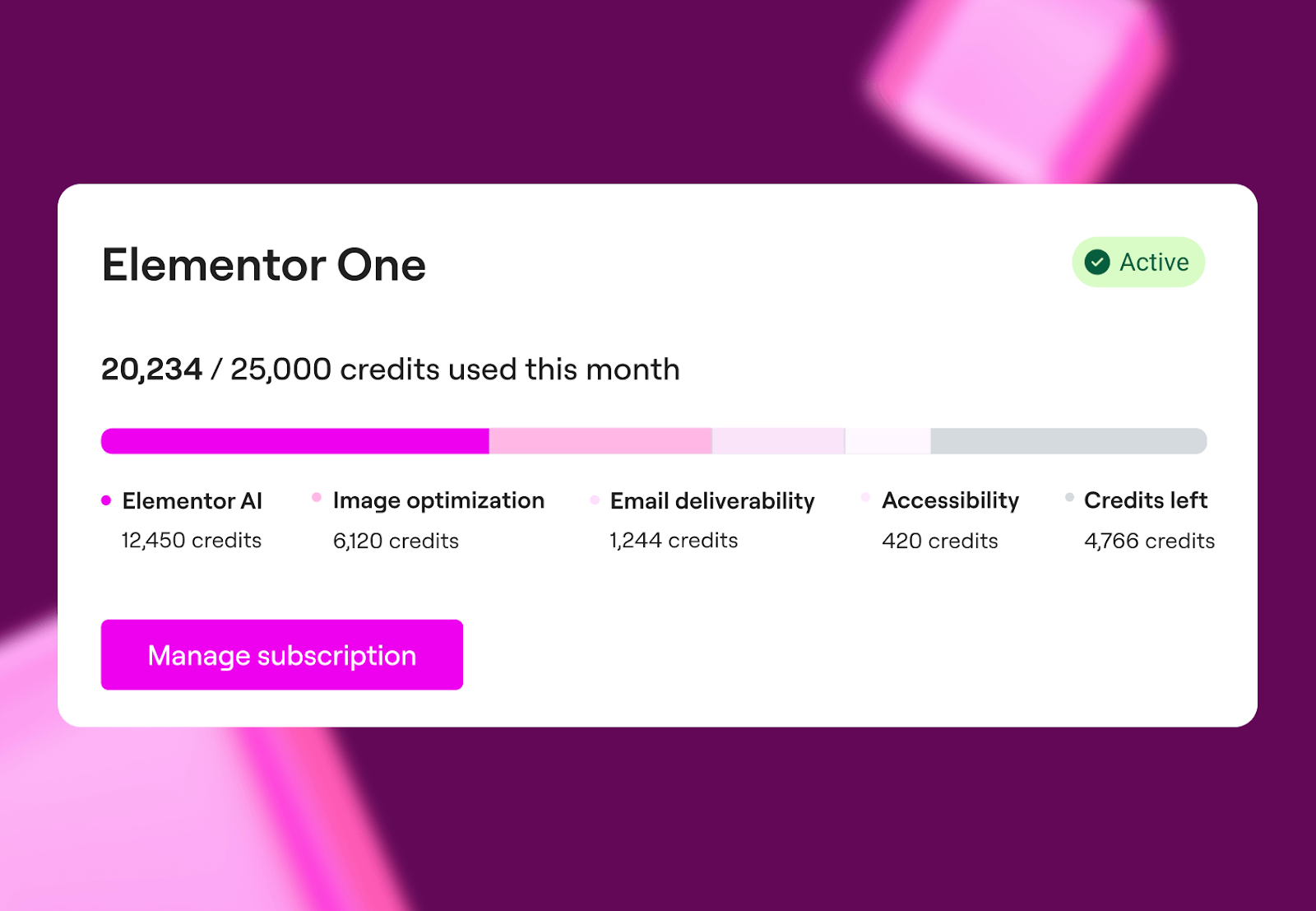
This flexible model allows users to decide how they distribute their usage rather than being restricted by feature caps. It makes Elementor One part of the growing category of AI website builders in 2026.
3. Built-In Optimization & Performance Tools
Performance has become critical for rankings and user experience. Elementor One addresses this by including native optimization tools.
Image optimization reduces file sizes automatically, helping improve load times and Core Web Vitals. Accessibility features scan your site and suggest improvements to enhance usability and compliance. Email deliverability tools help ensure that form submissions and transactional emails avoid spam filters and reach their intended inboxes.
Instead of relying heavily on external plugins, these features operate inside the Elementor environment, which potentially reduces plugin conflicts and dashboard clutter.
Elementor One Pricing Structure
Elementor One offers two structured plans: building for yourself & building for your client. Both plans offer a few advanced features that are capable of giving you a new website creation experience.

The pricing reflects a shift from “buy a plugin license” to “subscribe to a website platform.” This positions Elementor more like a SaaS ecosystem rather than a standalone WordPress plugin provider.
Strategic Advantages of Elementor One
Elementor One provides three clear strategic benefits.
First, it reduces dependency on multiple plugins. Many WordPress users install separate tools for compression, accessibility scanning, and email improvements. Consolidating those services can simplify maintenance.
Second, it accelerates content production through AI. Agencies can generate landing page drafts quickly, iterate faster, and reduce time-to-launch for client projects.
Third, it creates a unified workflow. Instead of juggling five dashboards, users operate inside one consistent interface. For teams, this improves collaboration and efficiency.
Potential Considerations of Elementor One
While Elementor One is ambitious, it may not suit everyone.
The credit system means heavy AI users must manage usage strategically. Advanced developers may still prefer specialized third-party optimization tools for granular control. Additionally, beginners might find the expanded feature set slightly overwhelming compared to a basic page builder setup.
However, for most professionals, the integrated model simplifies long-term operations.
Who Should Use Elementor One?
Elementor One is particularly valuable for:
- Freelancers who want fewer tools and faster client turnaround times.
- Agencies managing multiple WordPress websites under one scalable plan.
- Businesses that prioritize performance, accessibility, and workflow efficiency.
- Creators experimenting with AI-driven content and design generation.
If your goal is to build, optimize, and maintain WordPress sites within a single ecosystem, Elementor One aligns well with that objective. Let us compare Elementor One vs Elementor PRO.
Is Elementor One Worth it in 2026?
The answer depends on your workflow.
If you are already combining a page builder, AI content tools, image compressors, and email solutions separately, Elementor One may reduce complexity and cost by consolidating them. On the other hand, if you primarily need visual design capabilities and rarely use AI or optimization tools, Elementor Pro could remain sufficient.
Elementor One is best viewed not as an upgrade, but as a platform shift. It is more like moving from plugin-based thinking toward ecosystem-based website management.
An Era of New Website Creation Experience Starts
Elementor One represents a significant evolution for Elementor. It transforms Elementor from a design-focused page builder into a broader website growth platform that integrates AI, performance, and management under one subscription.
In 2026, when efficiency, automation, and performance are critical, Elementor One positions itself as a comprehensive solution for modern WordPress professionals.
Whether it becomes the default choice depends on how much value you place on consolidation and AI acceleration, but strategically, it signals where WordPress website building is heading next.
To keep yourself updated with the latest Elementor news instantly, subscribe to our blogs & join our super-friendly Facebook Community.
FAQs (Frequently Asked Questions)
What is Elementor One?
Elementor One is an all-in-one subscription from Elementor that combines its visual WordPress builder with AI tools, optimization features, accessibility enhancements, and priority support. Instead of purchasing separate plugins or services, users get a unified platform to design, optimize, and manage WordPress websites from a single dashboard.
How is Elementor One different from Elementor Pro?
Elementor Pro focuses primarily on advanced design capabilities like Theme Builder, WooCommerce Builder, and marketing widgets. Elementor One includes all Pro features but adds AI-powered content generation, image optimization, accessibility tools, email deliverability improvements, and a shared credit system.
In short, Elementor Pro is design-focused, while Elementor One is platform-focused.
Does Elementor One include AI tools?
Yes. Elementor One includes built-in AI tools that help generate layouts, website copy, images, and even custom CSS or HTML. AI usage operates through a monthly credit system, allowing users to allocate credits across different features based on their needs.
What is the Elementor One credit system?
The credit system is a shared monthly allocation included in Elementor One plans. Credits are used for AI content generation, image optimization, accessibility scans, and other premium services. Instead of paying separately for each tool, users consume credits from a central pool.
Unused credits typically reset each billing cycle, depending on the plan terms.
Is Elementor One worth it in 2026?
Elementor One is worth it if you:
Build WordPress websites regularly
Want integrated AI capabilities
Prefer fewer third-party plugins
Value centralized workflow management
However, if you only need advanced page design features without AI or optimization tools, Elementor Pro may be sufficient.
Who should use Elementor One?
Elementor One is ideal for freelancers, agencies, and businesses managing WordPress websites who want design, optimization, and AI tools within one ecosystem. Agencies benefit especially from the unlimited site options and higher credit allocations.
Does Elementor One improve website performance?
Yes. Elementor One includes built-in image optimization and performance-related tools designed to reduce file sizes and improve loading speed. By minimizing reliance on multiple external plugins, it may also reduce potential plugin conflicts that impact performance.
Can beginners use Elementor One?
Yes, beginners can use Elementor One thanks to its visual drag-and-drop interface. However, because it includes advanced AI and optimization features, new users may need some time to explore and fully understand the expanded toolset.
Is Elementor One an AI website builder?
Elementor One can be considered an AI-enhanced WordPress website builder. While it still relies on manual design control, its integrated AI tools assist with content creation, layout generation, and coding — accelerating the website development process.
Does Elementor One replace other WordPress plugins?
In many cases, yes. Since it includes image optimization, accessibility improvements, and AI tools, users may no longer need separate plugins for those functions. However, advanced users may still choose specialized tools depending on their workflow.