Most Elementor SEO mistakes do not look dramatic on the surface. Your page loads, the design looks polished, the animations work and everything seems “done.” But rankings are rarely lost because of one giant SEO disaster. More often, they slip because of small, repeated decisions: bloated layouts, weak content structure, missing metadata, poor internal linking, and pages that look great to humans but send weak signals to search engines.
That is why Elementor SEO needs a more strategic approach. If you want strong results from search engines, you cannot treat design and optimization as separate tasks. A good-looking page is only half the job. The other half is making sure search engines can crawl it, understand it and trust that it deserves to rank.
TL;DR (Quick Summary)
Too long? Didn’t read? Here’s what you should know from the blog.
| Problem | Why It Hurts Rankings | How to Resolve |
| Your Elementor page looks great but is not built around search intent | Google may struggle to understand what the page should rank for | Start with one target keyword, match the page to user intent, then build the layout around it |
| Your heading structure is messy | Weak hierarchy makes content harder to understand for users and search engines | Use one H1, clear H2s, and logical H3s to create a clean content flow |
| Your page is overloaded with widgets and sections | Bloated layouts can slow down the page and hurt Core Web Vitals | Simplify the design, reduce unnecessary elements, and use leaner page structures |
| Your images are too large or poorly optimized | Heavy images slow down loading speed and weaken image SEO | Compress images, use descriptive filenames, and add relevant alt text |
| Your long-form content is hard to scan | Visitors may bounce faster if they cannot find what they need quickly | Break content into sections and add a table of contents for easier navigation |
| Your FAQ section is only visual, not SEO-friendly | Search engines may not fully understand the value of your FAQ content | Use structured FAQ sections and add schema where appropriate |
| Your pages have weak internal linking | Important pages may stay under-discovered and authority gets diluted | Add natural internal links with descriptive anchor text across related pages |
| Your site is not fully optimized for mobile | Poor mobile UX can reduce engagement and hurt rankings | Check every page on mobile, fix spacing, typography, and content order |
| Your Elementor page depends too much on JavaScript | Important content may become harder to crawl and render properly | Keep critical content visible, accessible, and search-friendly |
| You are not tracking performance or SEO issues | Small problems grow over time when they go unnoticed | Monitor Search Console, Core Web Vitals, and page performance regularly |
Common Elementor SEO Mistakes And How to Solve Them
Without proper optimization, your Elementor site may not rank well in the search engines. Here in this part, the most common mistakes that most of the Elementor websites do are mentioned and gives you a solution on how to fix those.
1. Designing the Page First
One of the biggest mistakes Elementor users make is starting with layout instead of intent. They open the editor, choose a template, add sections, polish visuals and only then think about keywords. That usually leads to a page that looks attractive but is not tightly aligned with what people are actually searching for.
SEO does not begin with colors, containers, or button styles. It begins with understanding what the page should rank for, what the searcher expects to see and how the content should be structured to meet that expectation. If the keyword target is unclear, the page often ends up trying to rank for too many topics at once. That dilutes relevance, weakens the heading hierarchy, and makes it harder for Google to understand the core purpose of the page.
💡 How to solve it:
Before opening Elementor, define one primary keyword and a few closely related secondary terms. Map the page to a clear search intent: informational, commercial, comparison, or transactional. Then build the page around that intent. Decide these factors:
- What the H1 should be
- What the main questions are
- What proof points are needed
- What action the user should take next.
Good SEO for Elementor website starts with content architecture, not just drag-and-drop design.
2. Using a Messy Heading Structure
A lot of Elementor pages suffer from heading chaos. Designers use heading widgets purely for styling, not for meaning. That leads to multiple H1s, skipped levels, or headings that are visually bold but semantically confusing. While Google has said there is no magical number of headings and that out-of-order headings are not automatically a problem for rankings, semantic heading order is still useful for accessibility and clarity. Google also emphasizes that headings should help users understand page structure.
A messy hierarchy makes it harder for users to scan your content and harder for search engines to interpret section relationships. On long-form posts, this becomes even more important. If your H2s and H3s do not support the main topic, the page feels fragmented instead of authoritative.
💡How to solve it:
Use one clear H1 that reflects the page’s main topic. Then use H2s for major sections and H3s for supporting points beneath them. Do not use heading widgets only because they “look right.” Style them however you want, but keep the structure logical. For long tutorials, pillar pages, or list posts, adding a table of contents can make that hierarchy easier to navigate. If you are building content-heavy pages with Essential Addons, the EA Table of Contents widget can automatically display blog headers and subheaders in a list view, which is helpful for improving navigation on long posts.
3. Ignoring Core SEO Settings
Many Elementor users assume that because the page is built beautifully, it will be automatically optimized. Elementor is a website builder, not a full SEO strategy. If you forget to configure indexability settings, clean permalinks, XML sitemaps, or page-level metadata, you are leaving major ranking signals unfinished.
Even worse, some websites accidentally launch with search visibility discouraged in WordPress settings, or they keep generic URLs like ?p=123, or they publish pages without custom title tags and meta descriptions. These are basic issues, but they quietly suppress visibility. Google’s SEO Starter Guide and developer documentation both reinforce the importance of clear site organization, descriptive link text, and technically accessible pages.
💡How to solve it:
Install a reliable SEO plugin such as Rank Math, Yoast, or All in One SEO. Make sure your page has a custom SEO title, a compelling meta description, a clean slug and the correct index settings. Check WordPress reading settings to ensure search engines are not blocked. Submit your sitemap in Search Console and make sure the page is internally linked so Google can find it quickly. In short, do not confuse page creation with page optimization.
4. Building Bloated Layouts
This is one of the most underrated Elementor SEO mistakes. Elementor makes it easy to stack sections, inner sections, columns, containers, icons, popups, motion effects, tabs, sliders and third-party widgets. But every extra wrapper adds HTML and complexity. Over time, that creates a bulky DOM, slower rendering, poorer interactivity, and weaker page experience.
Elementor itself has acknowledged that large DOM output harms performance because browsers must parse and render more nodes, which can slow loading and responsiveness, especially on lower-end devices. Elementor also notes that Lighthouse warns when the body contains more than 818 nodes and errors above 1,400 nodes.
This matters because Google recommends achieving good Core Web Vitals, with LCP within 2.5 seconds, INP below 200 milliseconds and CLS under 0.1. These metrics reflect real-world user experience and align with what Google’s ranking systems aim to reward.
💡How to solve it:
Simplify your layouts. Use containers instead of outdated section-and-column structures where possible. Also, avoid adding multiple widgets when one can do the job. And, reduce decorative elements that do not support user intent. Audit add-ons carefully instead of installing everything “just in case.” If a page exists to rank, every widget should earn its place. Better SEO on Elementor website often comes from subtracting, not adding.
5. Uploading Large Images
Beautiful visuals are great for engagement, but oversized, poorly labeled images are terrible for performance and image SEO. High-quality images placed near relevant text, descriptive alt text and short but meaningful filenames are some of the best practices for search engines. It also warns against keyword stuffing alt attributes.
Too many Elementor users upload raw screenshots, hero banners and stock graphics named things like IMG_4837.png, with no alt text and no compression. That hurts page speed, accessibility and the ability of search engines to interpret the image in context. On content-rich pages, image bloat can become one of the main reasons LCP suffers.
💡How to solve it:
Compress images before uploading. Use next-gen formats when possible. Name files descriptively, add helpful alt text and place images close to the relevant section of content. Avoid decorative image overload above the fold. If an image is essential, make sure it adds meaning, not just aesthetics. This is especially important for blog content, feature pages, and landing pages competing for organic traffic.
There is a real business case for taking this seriously. Think with Google reported that just a 0.1-second improvement in mobile site speed increased retail conversions by 8.4% and travel conversions by 10.1% on average.
6. Publishing Long Content
Long-form content can rank extremely well, but only if users can navigate it easily. One common problem on Elementor blogs is publishing 2,000-word or 3,000-word posts with no jump links, no table of contents and no visual roadmap. When a reader lands on a long article and sees a giant wall of content, they are more likely to bounce, skim poorly, or miss key sections.
This is not just a UX issue. Clear on-page structure supports crawling, helps distribute attention across important sections, and makes the content easier to consume.
💡How to solve it:
Break long pages into clear thematic sections. Use descriptive H2s and H3s. Add jump links when appropriate. For blog content and documentation pages, the EA Table of Contents widget from Essential Addons is a practical addition because it can pull supported headers into an organized list view, helping readers jump straight to the section they need.
That kind of improvement may seem small, but small improvements compound. Faster, clearer, easier-to-navigate pages tend to perform better because they reduce friction.
Read more on: WordPress Maintenance Checklist (2026): Best Practices for Optimal Site Health
7. Creating FAQ Sections without Structured Data
Many Elementor users add FAQ sections at the bottom of pages and stop there. The content may be useful, but without proper structure or schema support, you are missing a chance to make those sections more understandable for search engines.
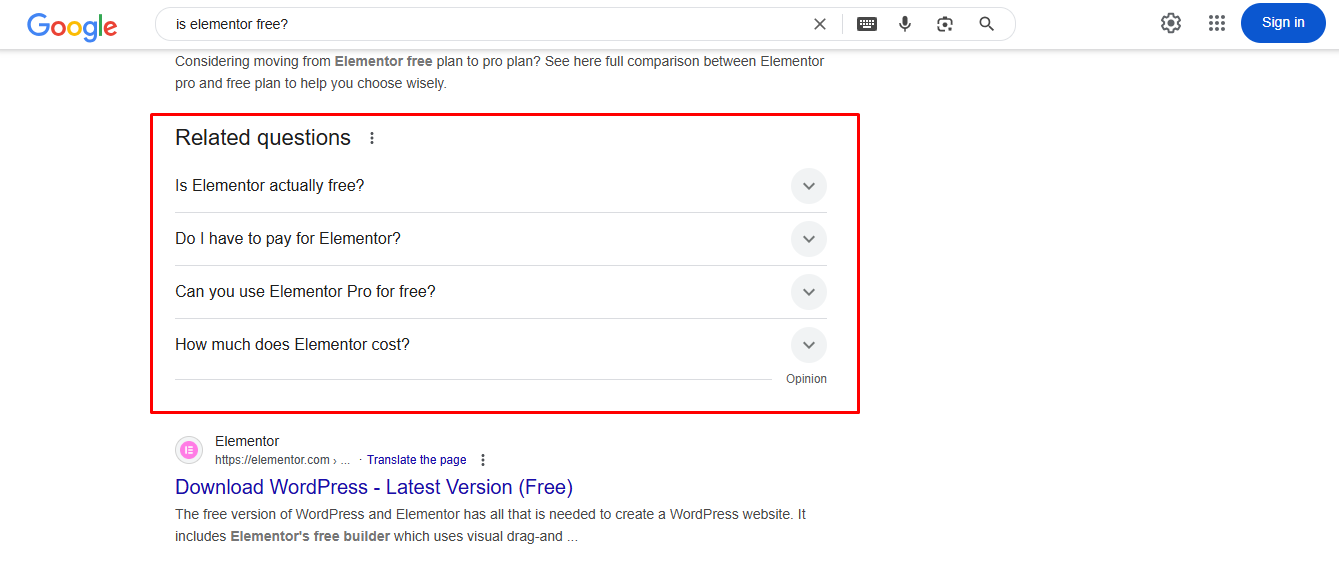
Structured data helps search engines interpret what a section is about. FAQ content, when valid and appropriate, can reinforce topical relevance and improve how your content is understood. On Elementor sites, this is often overlooked because users focus on the visual accordion and forget the SEO layer behind it.
💡How to solve it:
If your page contains genuine, helpful FAQs, build them in a structured way and validate the markup. Essential Addons has published guidance showing that its Advanced Accordion widget includes an “Enable FAQ Schema” option for Elementor users who want to add FAQ schema without code.
This is one of those places where design and SEO can work together instead of against each other. You make the content cleaner for users and clearer for search engines at the same time. Just make sure the FAQ section is truly helpful and not stuffed with shallow, repetitive questions.
8. Neglecting Internal Linking
A surprising number of Elementor sites are visually polished but structurally weak. They publish great-looking pages, then fail to connect them with internal links. As a result, cornerstone content, landing pages, and supporting articles sit in isolation. That weakens crawl paths, reduces contextual signals, and makes it harder for authority to flow through the site.
If your internal links say “click here” or “learn more” everywhere, you waste a valuable signal. If there are no internal links at all, you make discovery even harder.
💡How to solve it:
Build internal links intentionally. Every new article should point to related posts, product pages, category pages and conversion-focused destinations where relevant. Use natural anchor text that describes the destination. Link from high-authority pages to pages you want to boost. Strong internal linking is one of the simplest ways to improve SEO for Elementor website content without redesigning anything.
9. Designing for Desktop First
A page can look fantastic on a large screen and still perform terribly on mobile. In Elementor, this usually shows up as oversized hero sections, misaligned columns, huge spacing, unreadable text blocks, intrusive popups, or stacked widgets that push important content too far down the page.
That hurts rankings because Google uses mobile-first indexing. It also hurts conversions because mobile users are far less patient with friction. Performance and usability issues on smaller screens can lower engagement, worsen bounce behavior, and send negative quality signals over time.
There is strong evidence that speed and UX affect outcomes. According to Google’s performance case study roundup, Vodafone improved LCP by 31% and saw 8% more sales, while Tokopedia improved LCP by 55% and saw 23% better average session duration.
💡 How to solve it:
Do not just preview mobile at the end. Build with mobile in mind from the start. Check typography, spacing, image sizes, sticky elements, button placement, and content order on every breakpoint. Remove decorative sections on mobile if they slow down access to the main content. If the primary message and CTA are buried beneath design clutter, your rankings and conversions both pay the price.
10. Relying Too Heavily on JavaScript
Modern Elementor pages often depend on animations, tabs, accordions, carousels and dynamic content blocks. Some of that is fine. The problem starts when important content or links only become visible after complex interactions, or when lazy loading is implemented in a way that search engines struggle to process.
JavaScript-powered pages go through crawling, rendering and indexing and that content needs to be discoverable in a search-friendly way. Search engines recommend following lazy-loading guidelines so important content is still accessible.
If your key content is hidden until a user clicks something, or if core elements depend on rendering that is slow or inconsistent, you introduce avoidable SEO risk.
💡 How to solve it:
Make sure essential content is available in the rendered HTML and not buried behind interactions. Keep important links in crawlable formats. Test critical pages with Google tools to see what can actually be rendered and discovered. Use lazy loading carefully, especially for above-the-fold visuals and vital content sections. Interactive design is fine, but not when it hides the value of the page from search engines or users.
11. Letting Duplicate URLs Multiply
Elementor users often create multiple versions of similar pages while testing templates, duplicating landing pages, or reusing campaigns. Over time, that can create duplicate or near-duplicate URLs, thin archives, parameter-based duplicates and unclear canonical signals.
Google recommends using redirects, rel=”canonical” annotations, and sitemap inclusion to help specify preferred URLs. It also advises linking internally to canonical URLs and not relying on robots.txt or URL removal tools for canonicalization.
When canonical signals are weak or inconsistent, search engines may choose a different version of the page than the one you want ranking. That can split authority, dilute relevance and create reporting confusion in Search Console.
💡 How to solve it:
Audit duplicate content across templates, archives, paginated collections and campaign pages. Add self-referencing canonicals where appropriate through your SEO plugin. Redirect old test pages and retired landing pages. Avoid publishing multiple near-identical pages targeting the same keyword unless there is a clear strategic reason. If one page should rank, send one strong signal.
12. Never Measuring Users Experience
Perhaps the quietest ranking killer of all is flying blind. Many site owners build pages in Elementor, hit publish and never open Search Console, PageSpeed Insights, or real performance reports again. They assume the page is “done” because it is live.
But SEO is not static. Rankings change. Competitors update content. Core Web Vitals shift. Layout changes affect mobile UX. Broken links appear. Images pile up. Without measurement, small issues grow into systemic ones.
Monitoring Core Web Vitals and using tools like Search Console and PageSpeed Insights to assess performance is the best practice.The business impact can be substantial: Google’s own case studies show examples such as Redbus seeing 80–100% increases in mobile conversion rates after performance-related fixes, and Nykaa seeing 28% more organic traffic from certain markets after a 40% LCP improvement.
💡How to solve it:
Track your pages. Watch impressions, clicks, average position, and indexed status in Search Console. Check which templates are hurting performance. Monitor LCP, INP and CLS after adding new widgets or add-ons. Revisit older posts every few months. The best Elementor SEO strategy is not a one-time checklist. It is an ongoing optimization process.
How Essential Addons Helps You to Reduce SEO Mistakes on Your Elementor Website
While SEO still depends on strategy, content quality and technical optimization, the right tools can make the process much easier. That is where Essential Addons can support your workflow and help reduce common on-page SEO issues on Elementor-built websites.
- Improves long-form content navigation: For detailed blog posts and tutorials, the EA Table of Contents widget helps organize headings into a clear, clickable structure. This makes your content easier to scan, improves user experience, and helps readers jump directly to the section they need.
- Helps create SEO-friendly FAQ sections: If you regularly publish FAQs, product explainers, or help content, EA Advanced Accordion can help you build those sections in a cleaner way. It also includes an option to enable FAQ schema, which can support better search understanding when used properly.
- Makes improvements on user experience: SEO and UX go hand in hand. Widgets that improve readability, section clarity, and content accessibility can help reduce friction for visitors, especially on long pages where structure matters as much as design.
- Supports cleaner content presentation: When used strategically, Essential Addons can help you avoid awkward design workarounds and make your pages more polished without sacrificing usability. That balance is important for keeping Elementor pages attractive and SEO-conscious at the same time.
- Reduces dependency on custom fixes: Instead of patching together multiple solutions for FAQs, navigation, or structured content sections, Essential Addons gives Elementor users widgets and extensions that simplify implementation and help maintain consistency across the site.
Bring Your Elementor Website on Top of the Search Engine
The truth is, most SEO mistakes are not caused by Elementor, they are caused by using a powerful visual builder without a clear SEO framework. When design choices override search intent, when performance is ignored, when metadata and structure are left unfinished, rankings slowly erode.
The fix is not to make your pages less beautiful. It is to make them more intentional. Build leaner layouts. Create clearer heading structures. Optimize images. Strengthen internal links. Use a schema where it makes sense. Measure Core Web Vitals. And where helpful, use plugins like Essential Addons to make your Elementor website faster and better than ever.
Was this blog helpful? Do not forget to subscribe to our blog for more Elementor tips and guides. Join our Facebook Community to discuss Elementor updates and more.
Frequently Asked Questions
Is Elementor bad for SEO?
No, Elementor itself is not bad for SEO. The real problem usually comes from how the website is built. If an Elementor site has bloated layouts, poor heading structure, slow-loading images, weak internal linking, or messy mobile design, rankings can suffer. In other words, Elementor is a tool, and your SEO results depend on how strategically you use it.
Why is my Elementor website not ranking on Google even though it looks professional?
This is one of the most common customer frustrations. A site can look visually impressive and still underperform in search because design quality and SEO quality are not the same thing. Your page may be missing keyword targeting, proper metadata, internal links, fast loading speed, schema markup, or content depth. Google ranks pages based on relevance, usability, crawlability, and page experience, not just appearance.
Does using too many Elementor widgets hurt SEO?
It can. Using too many widgets, add-ons, animations, and nested sections can increase DOM size and slow down your page. That affects Core Web Vitals, mobile usability, and overall page experience. If the extra design elements do not add real value to the visitor, they may end up hurting both performance and rankings. A cleaner layout usually performs better for both users and search engines.
How can I improve page speed on an Elementor website without ruining the design?
Start by optimizing the elements that create the biggest performance issues. Compress your images, reduce unnecessary widgets, simplify page structure, avoid excessive motion effects, and make sure you are not loading heavy scripts on every page. You can still keep a polished design, but it should be intentional and lightweight. The goal is not to remove all visual appeal, but to remove unnecessary bloat.
Do I need an SEO plugin if I already use Elementor?
Yes, in most cases you do. Elementor helps you build pages visually, but it does not replace a full SEO setup. You still need an SEO plugin to manage title tags, meta descriptions, schema settings, XML sitemaps, canonical tags, and indexing controls. Elementor and an SEO plugin should work together, not replace one another.
Can Essential Addons help improve SEO on an Elementor site?
Essential Addons can support better on-page SEO by helping you structure content more clearly and improve user experience. For example, EA Table of Contents can make long-form articles easier to navigate, while EA Advanced Accordion can help you create cleaner FAQ sections and enable FAQ schema more easily. While no plugin can replace a full SEO strategy, the right add-ons can reduce common content and structure mistakes on Elementor websites.