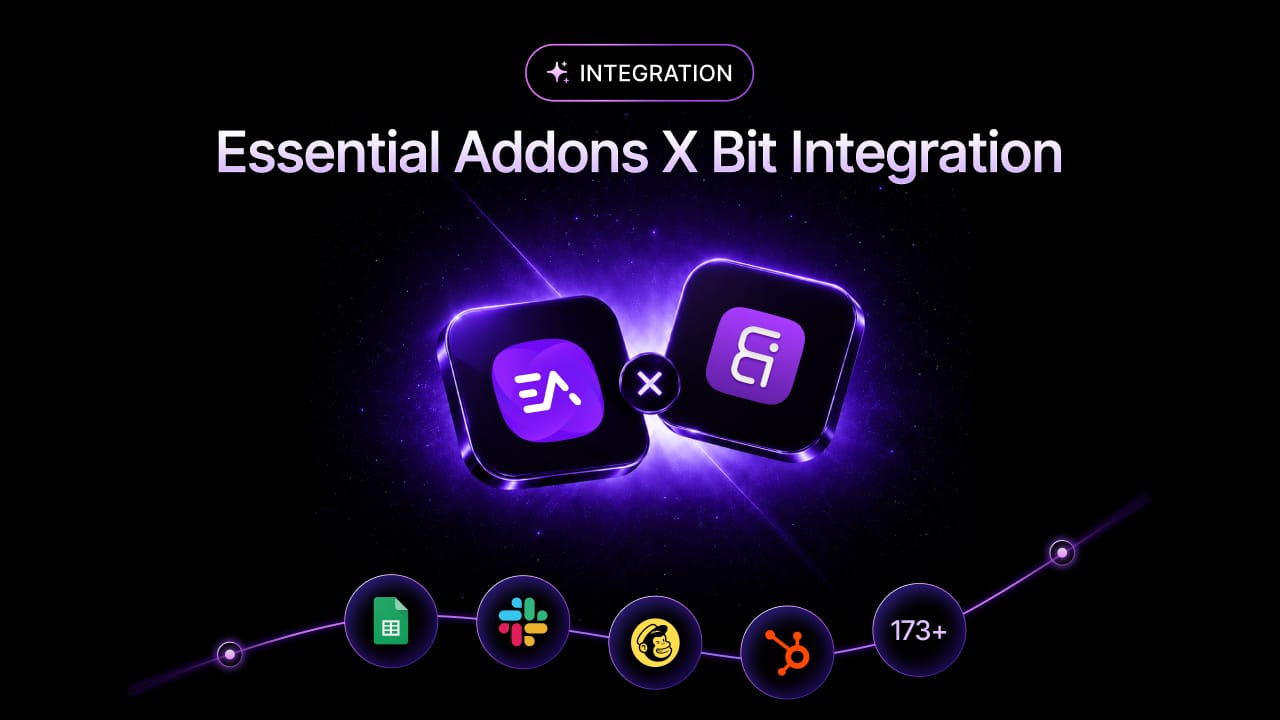
🎉 Essential Addons for Elementor now integrates with Bit Integrations, making it easier than ever to connect your Elementor workflows with 173+ apps and automate WordPress processes without writing a single line of code. 🚀
If you use Elementor to build WordPress sites, this is a great start to automate your workflow with Essential Addons and Bit Integrations. For site owners who want better login, registration and frontend experiences, it can be a practical way to add more capability to an Elementor-powered website.
At the same time, WordPress sites increasingly need automation. Manually copying form data into CRMs, spreadsheets, or messaging apps slows teams down and creates avoidable errors. That’s where Bit Integrations comes in. Bit Integrations is a no-code WordPress automation plugin that can send data from WordPress tools to external platforms and it supports 288+ integrations. In this guide, you will learn how to connect Essential Addons for Elementor with Bit Integrations, how the trigger-and-action setup works, and what kinds of workflows you can automate with it.
What Is Bit Integrations?
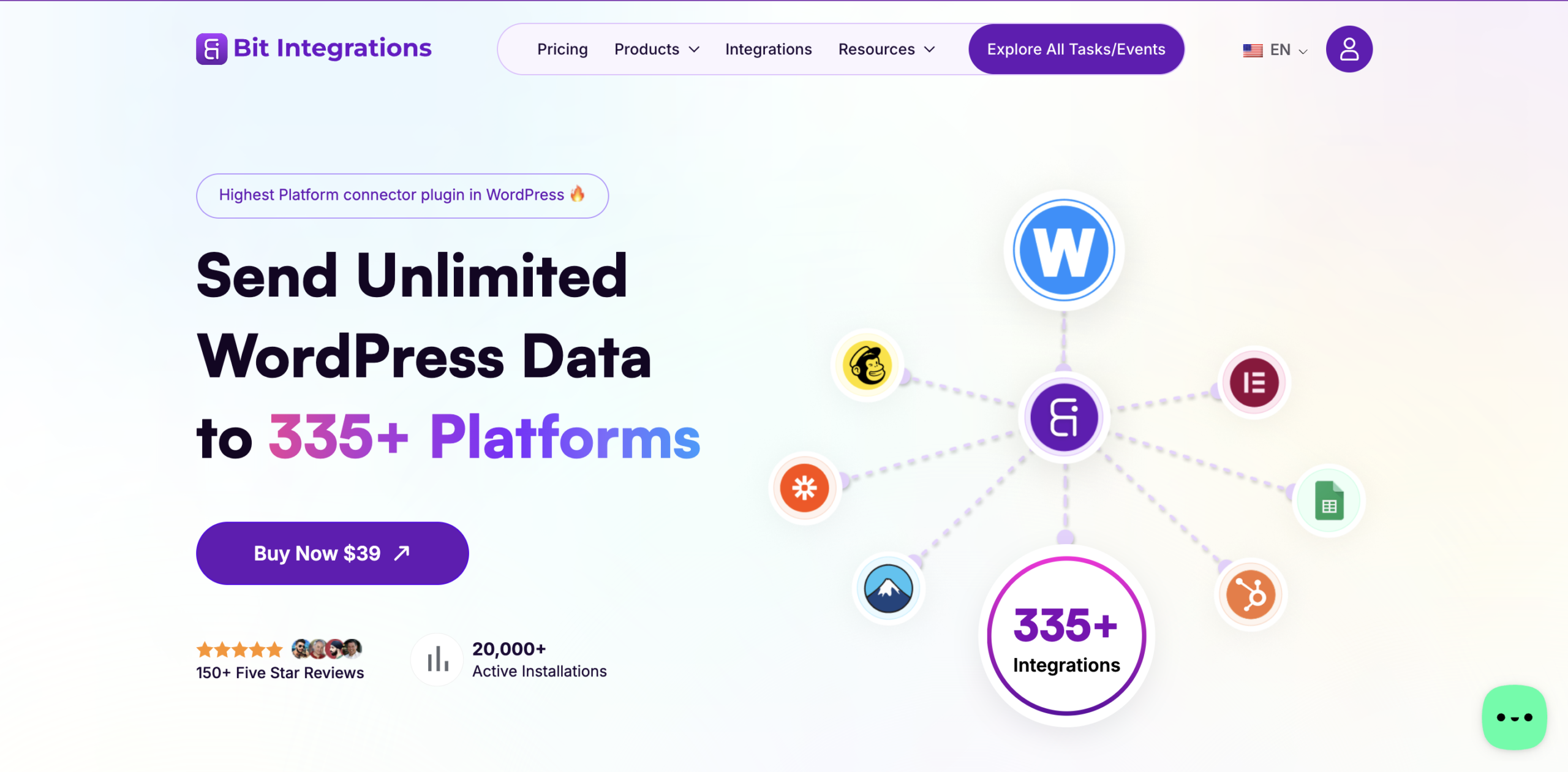
Bit Integrations is a no-code WordPress automation plugin built to connect WordPress plugins and data sources with external apps and services. According to its homepage, it can send data from WooCommerce, form builders, page builders, and LMS plugins to CRMs, Google Sheets, webhooks and many other platforms without requiring users to write code.
Key Features of Bit Integrations
Some of the most useful Bit Integrations features for Elementor automation include no-code workflow setup, trigger-based automation, field mapping, real-time data transfer, and conditional logic. This supports for incoming and outgoing webhooks and integrations with apps like Google Sheets, HubSpot, Mailchimp, Telegram, and Slack. The platform is designed to let you choose a trigger, fetch sample data, map fields, authorize an action app, and send data automatically whenever the trigger fires.
Why Integrate Essential Addons for Elementor with Bit Integrations?
When paired with Bit Integrations, it becomes more than just a design tool; it transforms into a fully connected automation hub. Bit Integrations acts as the bridge between your Elementor-powered frontend and the third-party platforms your business depends on daily. Whether you are collecting registrations, capturing leads, or triggering login-based events, this combination allows data to flow automatically without any manual intervention. Here is why you should integrate Essential Addons with Bit Integrations.
Automate User Registration
One of the biggest reasons to set up Essential Addons for Elementor integration is to automate user registration workflows. This integration shows that Essential Addons can be used with login and registration events, enabling capture of user activity from frontend widgets and sending that data into a larger automation flow. This reduces repetitive admin work and helps automatically move registration data to the tools your team already uses.
Improve Lead Management
If your registration or login flow is part of a lead generation process, Bit Integrations can help push that data directly into platforms like Google Sheets, HubSpot, Telegram, Slack and Mailchimp. That means new leads can be logged, assigned, nurtured, or notified instantly instead of waiting for someone to copy information manually. For growing teams, that kind of Elementor workflow automation can make a real difference in response time and follow-up consistency.
Build Automated Workflows without Coding
A major advantage of Bit Integrations is that it is built as a no-code WordPress automation solution. Its homepage explicitly says users do not need to write a single line of code because the plugin already handles the hooks, APIs and mapping structure behind the scenes. That makes it attractive for marketers, agencies, freelancers and business owners who want WordPress integrations without maintaining custom scripts.
Reduce Human Errors in Data Handling
Automation also improves data consistency. Bit Integrations highlights automated data mapping and error reduction as part of its value proposition and its setup flow emphasizes fetching actual form data first so you can map fields correctly before going live. That helps reduce mismatched fields, missing values and the kind of manual entry mistakes that commonly happen in traditional workflows.
Step-by-Step Guide to Integrate Essential Addons for Elementor with Bit Integrations
Now that we understand the importance of this integration, let us go through a simple step-by-step process of how to implement this on the Elementor website.
Before getting started, make sure you have installed and activated Elementor, Essential Addons PRO and Bit Integrations PRO on your WordPress website.
Step 1: Open the Bit Integrations Dashboard
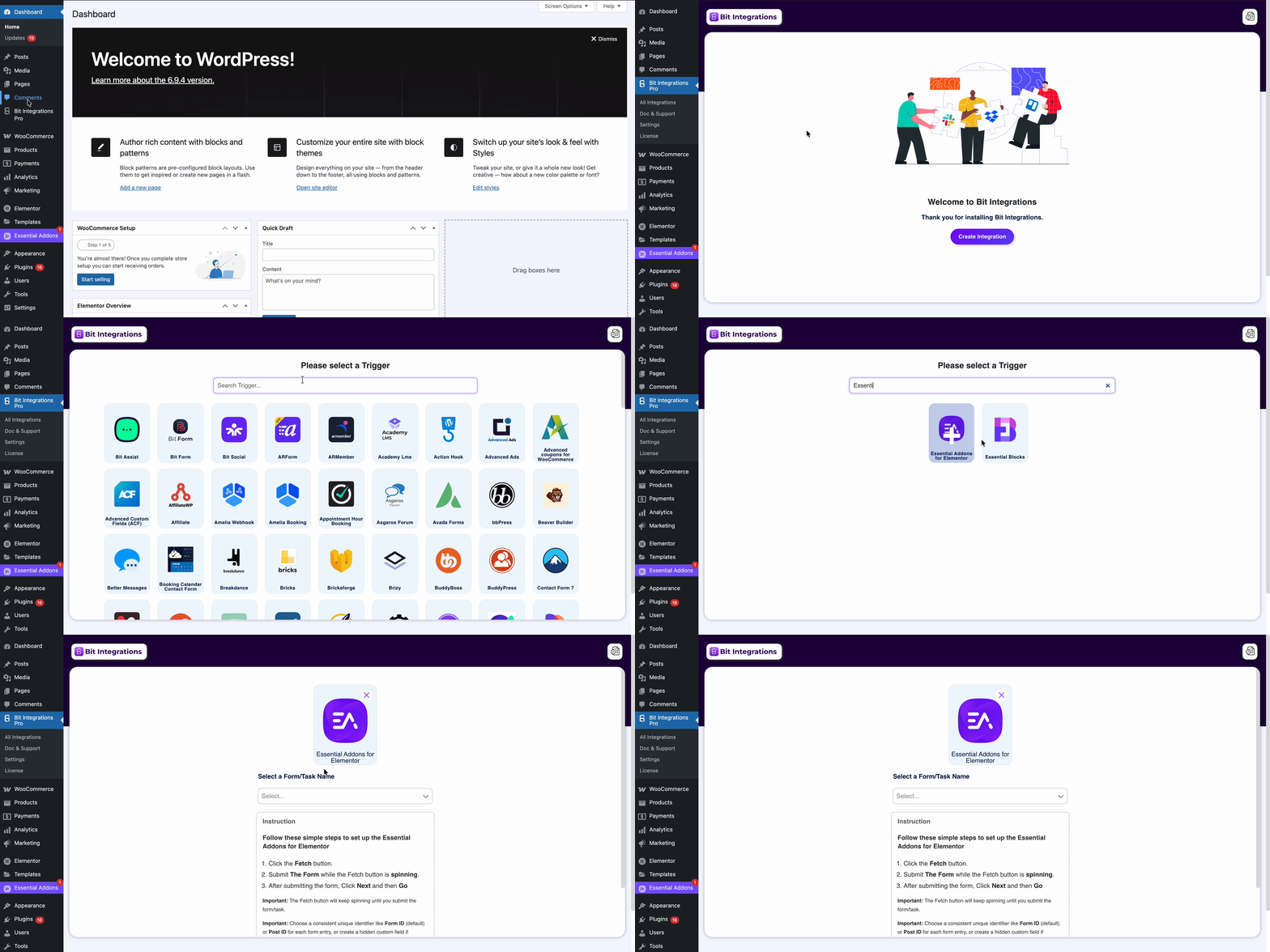
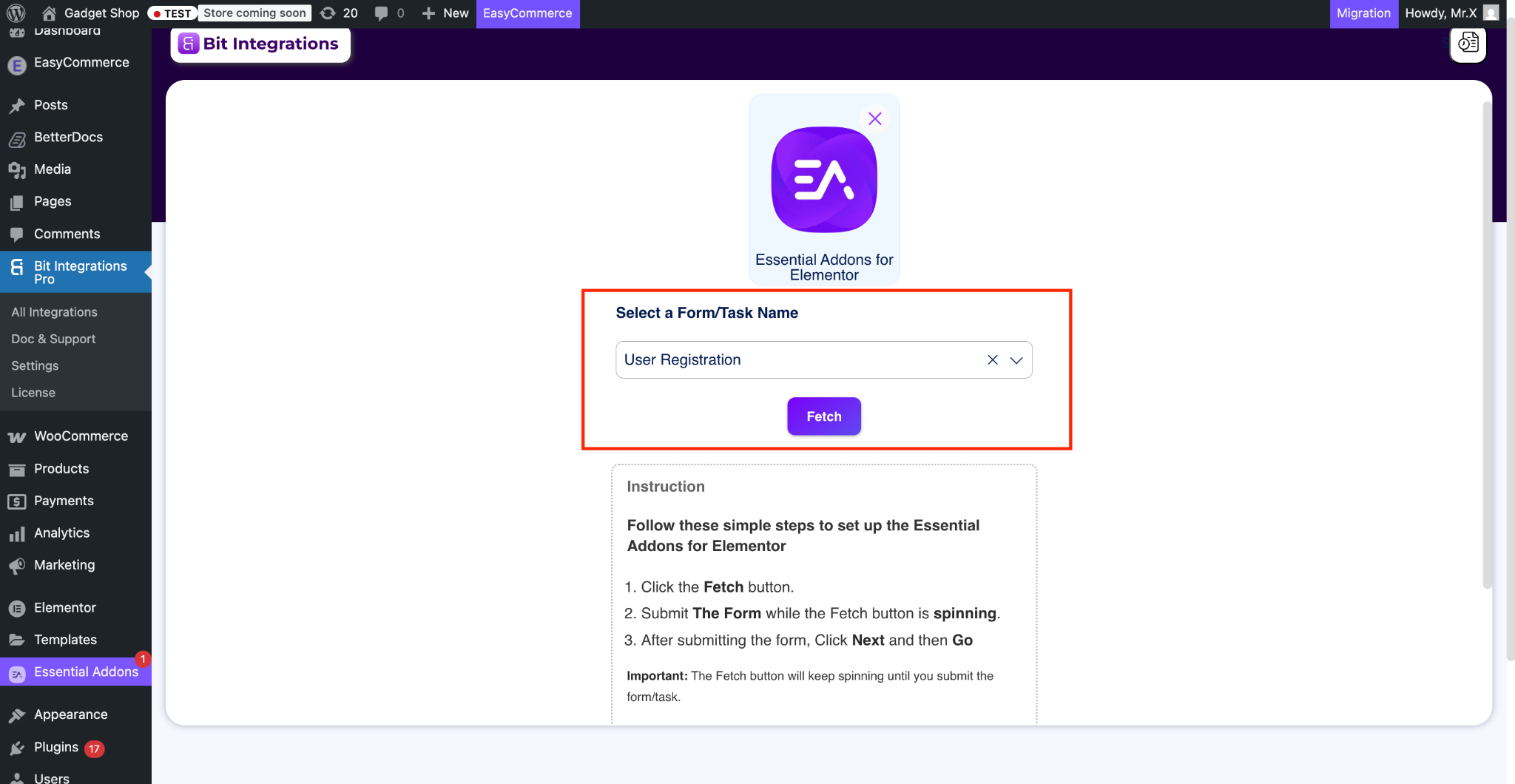
Open your Bit Integrations PRO dashboard and create a new integration. In the Bit Integrations, start by clicking the “Create Integration” button, which opens the trigger selection screen. This is where your Elementor automation workflow begins. Search for Essential Addons for Elementor and select the plugin as trigger.
Step 2: Fetch Form Response Data
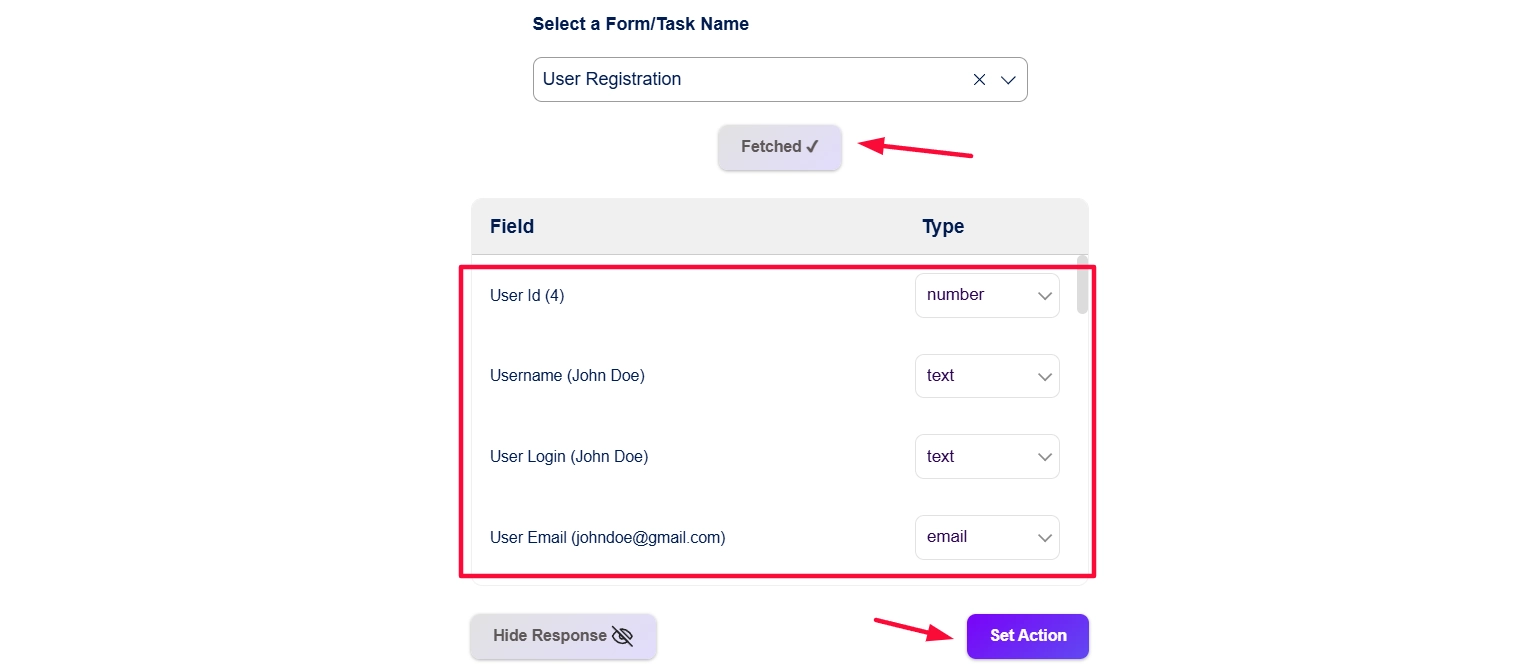
After selecting the trigger event, click the “Fetch” button, depending on the interface you are using. After clicking fetch, submit a test registration or login from the frontend widget, then return to the integration screen and confirm that the fields were captured successfully.
Step 3: Connect an Action Platform
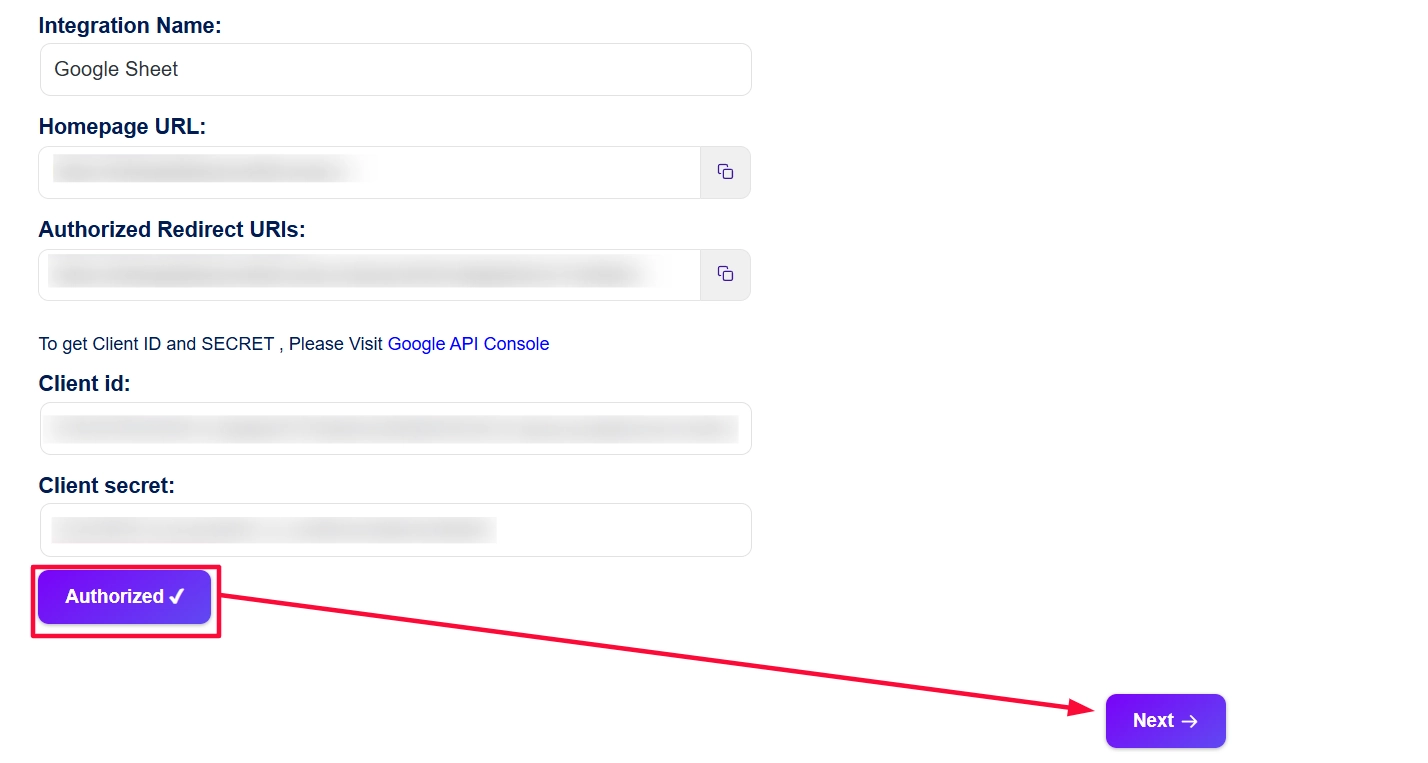
Once the trigger data is available, select the app you want to send data to. Bit Integrations officially supports actions for platforms such as Google Sheets, HubSpot, Mailchimp, Telegram, and Slack, among many others. This is where your WordPress automation plugin setup turns into a practical workflow, whether you want to store submissions, create CRM records, send notifications, or trigger downstream actions.
Step 4: Map Form Fields
Field mapping is the step where you match data from Essential Addons to the required fields in your destination app. Pay special attention to required fields and unique identifiers so that records are created or updated accurately. If needed, use dynamic values and custom keys to make your Elementor form automation more reliable.
To learn more about the integration, do not forget to check the documentation.
Best Automation Workflows You Can Build
Since you can connect 173+ apps with Essential Addons, some apps can automate and streamline your workflow better. Here are some of the workflows you can implement.
Essential Addons for Elementor + Google Sheets
If you want a simple logging system, connect Essential Addons to Google Sheets. Google Sheets is one of the most efficient ways to automate and manage WordPress data efficiently, making it useful for saving registration details, lead data, or simple internal reports without a CRM.
Essential Addons for Elementor + HubSpot
For lead management, HubSpot is one of the strongest options. Bit Integrations documents actions such as Create Contact, Create Company, Create Deal and Create Ticket, which makes this pairing useful for agencies, SaaS teams, and service businesses that want to connect Elementor with CRM tools automatically.
Essential Addons for Elementor + Mailchimp
Mailchimp is a solid choice if your main goal is email marketing automation. Bit Integrations supports Mailchimp actions for adding members and managing tags, so you can turn new registrations into subscribers automatically and start email sequences faster.
Essential Addons for Elementor + Slack or Telegram
If your team needs instant alerts, connect Essential Addons to Slack or Telegram. Bit Integrations supports sending messages to Slack channels and Telegram groups or channels, making it easy to notify your sales, support, or operations team in real time whenever a new registration or login event happens.
Essential Addons for Elementor + Webhooks
For custom systems, Bit Integrations also supports webhook-based workflows through its broader automation capabilities. This is useful when you need to send Elementor data to a custom application, an internal API, or another service not covered by a direct native integration.
This is not just it. With other apps and Essential Addons you can unlock the endless possibilities on your Elementor website.
Who Should Use This Integration?
This integration can be helpful for agencies and freelancers. Let us have a look at how different professionals can benefit from this.
Agencies to Automate Lead Capture And Client Workflow Management
Agencies managing multiple client sites can use this integration to centralize lead capture, client notifications, and CRM syncing without writing custom automation for every project.
SaaS Businesses to Streamline User Onboarding And Lead Routing
SaaS teams can automate onboarding and lead routing by sending registrations into HubSpot, spreadsheets, or notification channels the moment a user signs up.
eCommerce Stores to Automate Customer Data
Stores running WordPress can use automation to move customers and form data into spreadsheets, messaging apps, or other business systems faster and with fewer manual steps.
Membership Websites to Simplify User Registration And Login Automation
Membership sites are a natural fit because the official Essential Addons trigger guide is built around user login and user registration events, which are central actions on membership-based websites.
Online Course Platforms to Automate Enrollment And Student Tracking
Course creators and LMS site owners can use Bit Integrations to move user data into CRMs, spreadsheets, and notifications, helping automate enrollment-related workflows and admin follow-up.
Freelancers And Marketers to Automate Workflows And Campaigns
Freelancers and marketers benefit because Bit Integrations is positioned as a no-code automation plugin, making it possible to automate Elementor website processes without developer help.
Start Automating Your Elementor Workflows Today
If you want to automate WordPress workflows without building custom code, connecting Essential Addons for Elementor with Bit Integrations is a practical place to start. The combination gives you frontend user events such as registration and login, plus the ability to push data into CRMs, spreadsheets, email automation tools, messaging platforms, and webhook endpoints. That means fewer repetitive tasks, faster lead handling, and a cleaner workflow for your team.
The best approach is to begin with one simple automation, such as sending new registrations to Google Sheets or HubSpot, then expand from there. Once you see how much time a single workflow can save, it becomes much easier to automate more of your Elementor site operations.
Which apps are you going to connect today? Let us know in our Facebook Community. For the latest updates, do not forget to subscribe to our blog.
Frequently Asked Questions about the Essential Addons And Bit Integrations
Can I connect Essential Addons for Elementor with Google Sheets?
Yes. Bit Integrations provides an official Google Sheets action and describes it as a way to automate and integrate WordPress data with Google Sheets to save time and improve lead and customer management.
Can I automate user registration workflows?
Does Bit Integrations support webhooks?
Yes. Bit Integrations highlights webhook support as part of its broader automation capabilities, including support for incoming and outgoing webhooks.
Is coding knowledge required for this setup?
No. Bit Integrations is a no-code WordPress automation plugin, and its homepage explicitly says users do not need to write code to connect supported apps and plugins.