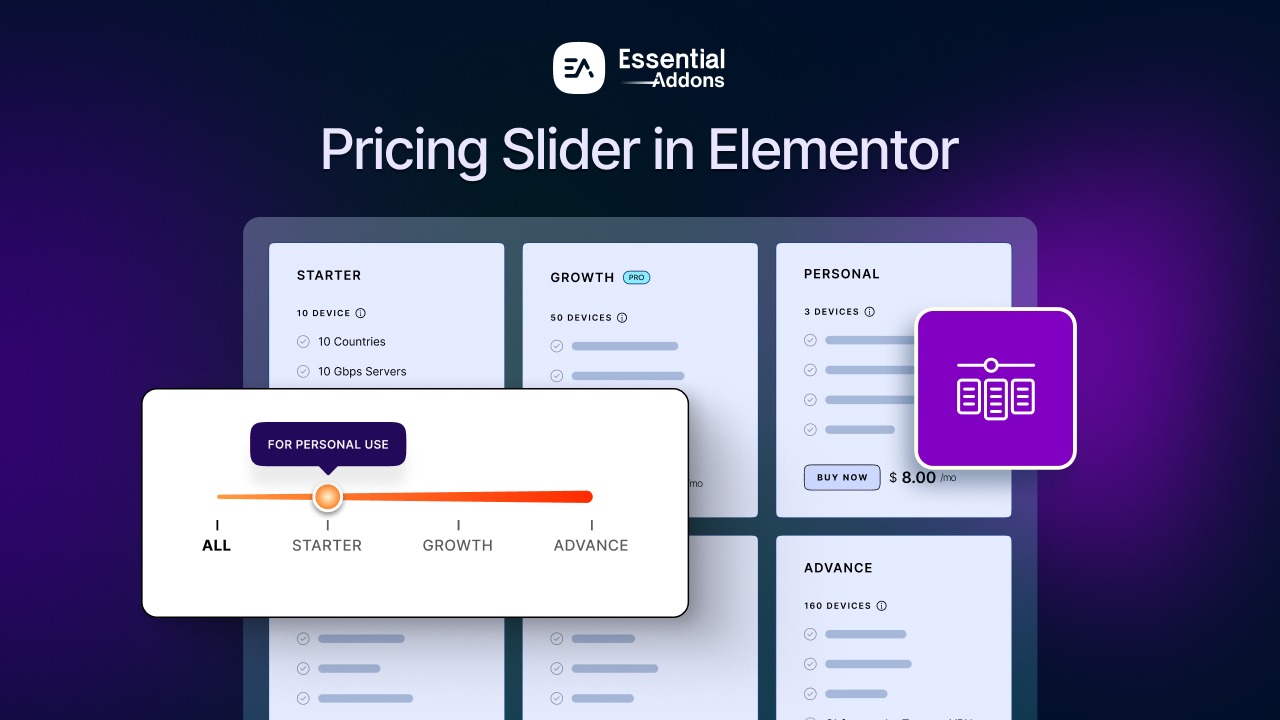
If your pricing section feels overwhelming or hard to compare, you are not alone. Static grids often force visitors to scan too much information at once, making it harder for them to quickly understand which plan fits their needs. That confusion can quietly hurt conversions. That is why Essential Addons has introduced an interactive pricing table with a new pricing slider for Elementor. It helps you present multiple pricing tiers through a smooth, draggable experience, allowing visitors to explore plans visually instead of scanning a crowded layout.
For brands building with Elementor, this matters because pricing is rarely one-size-fits-all. Whether you run a SaaS business, agency, coaching service, or membership platform, a modern pricing slider can make your Elementor website feel more dynamic, reduce friction for users and turn your pricing section into something that is both easier to navigate and more persuasive.
Quick Summary
Too long? Didn’t read? Here is a quick summary:
| Section | Key Highlight | Why It Matters |
| Pricing Slider Overview | A dynamic Elementor widget that lets users explore pricing plans with a draggable slider | Makes pricing more interactive. |
| Core Functionality | Supports live price updates, feature switching, tooltips, and monthly/yearly billing views. | Helps visitors compare plans faster without confusion. |
| Slider Controls | Lets you set titles, feature lists, Filter IDs, and tooltips | Gives you better control over how pricing details are organized and explained |
| Pricing Plans | Allows you to add plan titles, subtitles, status labels, icons, and feature lists | Helps present each offer more clearly and professionally |
| Best Use Cases | Ideal for SaaS, agencies, memberships, coaching, and scalable service businesses | Fits brands that offer tiered or flexible pricing models |
| Design Flexibility | Can be customized inside Elementor with styling controls | Helps match the pricing section with your website branding |
What Is a Pricing Slider?
A pricing slider is an interactive way to present pricing plans where users can slide through different tiers instead of viewing multiple static cards at once. Rather than presenting every package in a long or crowded pricing table, the slider gives users a cleaner, more engaging way to see how features and price points change as they move from one tier to another.
In the case of Essential Addons, the new widget is designed to work directly inside Elementor with no coding required. It supports smooth dragging, real-time pricing changes, live editing inside the builder, monthly and yearly billing options, responsive behavior across devices and flexible design controls for colors, fonts, spacing, and slider track styling. That makes it much more than a simple pricing widget; it becomes a conversion-focused interactive section for your website.
Why Traditional Pricing Tables Often Fall Short?
Traditional pricing tables are familiar, but they are not always the best way to present modern, multi-tiered offers. As pricing models become more flexible, static layouts can make comparison harder instead of easier. Since Essential Addons’ interactive pricing table is built around live pricing changes, monthly/yearly billing, and responsive design, it offers a more dynamic alternative to rigid pricing sections. Here is where traditional pricing tables fall short:
- They can look crowded and overwhelming when too many plans or features are added.
- Visitors often need to scan multiple columns manually, which slows down decision-making.
- Static layouts make it harder to show pricing progression clearly from basic to premium plans.
- They are less effective for monthly/yearly billing switches unless extra design work is added.
- Traditional tables usually feel less interactive and less engaging, especially on mobile devices.
When a Pricing Slider Makes the Most Sense?
A pricing slider is especially useful when you want pricing to feel easier to explore and more visually guided. Essential Addons highlights features like smooth dragging, real-time plan updates, live editing in Elementor and support for monthly/yearly pricing, making this widget a strong fit for websites that want a more interactive pricing experience. Here’s when you should use it:
- When you offer multiple pricing tiers and want users to move through them step by step.
- When your plans scale based on usage, features, users, or service depth.
- When you want to show monthly and yearly pricing in a cleaner, more interactive way.
- When your current pricing section feels too static or visually cluttered.
- When you want a more mobile-friendly and engaging alternative to a standard pricing layout.
Pricing Slider vs Traditional Pricing Layout
For a quick overview, let us have a more detailed look at what is the difference between the pricing slider and the traditional pricing layout.
| Feature | Pricing Slider | Traditional Pricing Layout |
| User interaction | Interactive and draggable, encourages exploration | Mostly static, users scan plans manually |
| Pricing updates | Can show real-time changes as users move through plans | Usually fixed, no dynamic movement |
| Best for multiple tiers | Excellent for showing gradual plan progression | Can become cluttered with many plans |
| Monthly/yearly billing | Easier to present in one interactive section | Often needs separate toggles or added layout work |
| Visual engagement | More modern and attention-grabbing | More conventional and less engaging |
| Mobile experience | Better suited for focused, step-by-step browsing | Can feel compressed on smaller screens |
| Design flexibility | Offers styling control for colors, fonts, spacing, and slider track | Flexible, but often feels more rigid in presentation |
| Ideal use case | SaaS, agencies, subscriptions, scalable services | Simple businesses with only a few fixed plans |
Why You Should Use a Pricing Slider on Your Elementor Website?
The normal pricing widget is great. But a pricing slider can make your website stand out from the competitors’ websites. Here is more explanation of why you should use this widget on your Elementor website.
Makes Your Pricing More Interactive
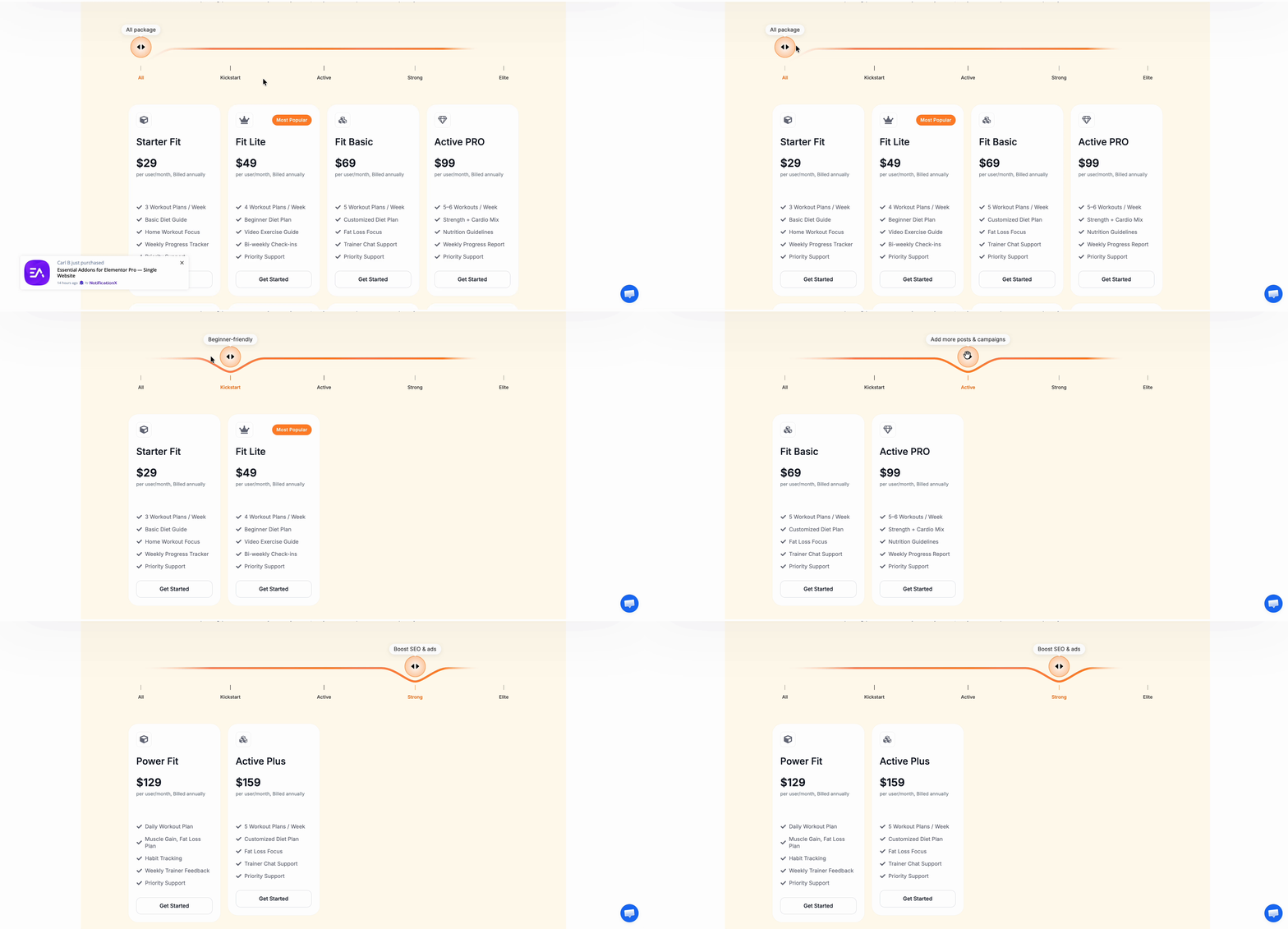
Static pricing sections often force visitors to compare multiple plans manually, which can feel slow and overwhelming. A pricing slider invites people to engage with your offer by dragging through plans and seeing values update instantly. That interaction can make your pricing feel simpler and more intuitive, especially when you want to show progression from entry-level to premium packages.
Helps You Present More Plans Without Clutter
A traditional pricing table works well in many cases, but it can quickly become crowded when you want to display several packages, variable service levels, or scalable offers. The new pricing slider gives you a cleaner layout where multiple pricing stages can be explored one at a time, helping visitors focus on the differences between plans instead of getting lost in too much information at once.
Supports Monthly And Yearly Billing Easily
Many modern businesses need to show both monthly and annual billing to encourage higher-value conversions. Essential Addons highlights that the widget allows you to set monthly and yearly pricing options without custom JavaScript, making it easier to build a more complete pricing experience with less effort. For businesses that want to promote annual discounts or flexible billing cycles, this is a major advantage in an Elementor pricing widget.
Gives You More Design Freedom
A pricing section should match your brand, not look like a generic block copied from another site. Essential Addons positions the Pricing Slider as a highly customizable widget with live editing and design flexibility for colors, fonts, spacing and track style. That means you can build a pricing area that feels native to your website while still keeping the convenience of a ready-made pricing widget inside Elementor.
Improves User Experience Across Devices
Pricing pages need to perform well on mobile just as much as desktop, especially since many users check plans from their phones before making a purchase decision. Essential Addons notes that the Pricing Slider is mobile responsive out of the box, helping your pricing section look polished and function smoothly across screen sizes. That makes it a practical choice for businesses that care about both design and usability.
Who Should Use this Slider?
Not every business sells in the same way, but many industries benefit from flexible tier-based pricing. Here are five types of businesses that can get strong value from this feature:
- SaaS companies: Software businesses often need to show plan progression based on users, features, storage, or automation levels. A pricing slider makes those upgrades easier to visualize and can simplify plan selection.
- Digital agencies: Agencies frequently offer service packages such as starter, growth, and enterprise-level solutions. This slider helps present those structured offers in a more premium and interactive format.
- Fitness and coaching businesses: From personal training plans to online coaching subscriptions, fitness brands can use the slider to show different commitment levels, access tiers and billing options in a way that feels modern and motivating.
- Marketing service providers: SEO, social media, paid ads and content marketing agencies often create tiered offers based on deliverables and support. A slider allows them to present that progression more clearly than a long comparison chart.
- Membership and subscription-based websites: If your business runs on recurring plans, this feature is useful for highlighting monthly versus yearly pricing and showing what users unlock at each level.
How to Use a Pricing Slider on Your Elementor Website? (Quick 3-Step Guide)
Now to get started, let us see how the Essential Addons Pricing Slider widget actually works. This is a PRO feature. So before getting started, make sure you have installed and activated Essential Addons PRO on your WordPress website.
Step 1: Add Pricing Slider
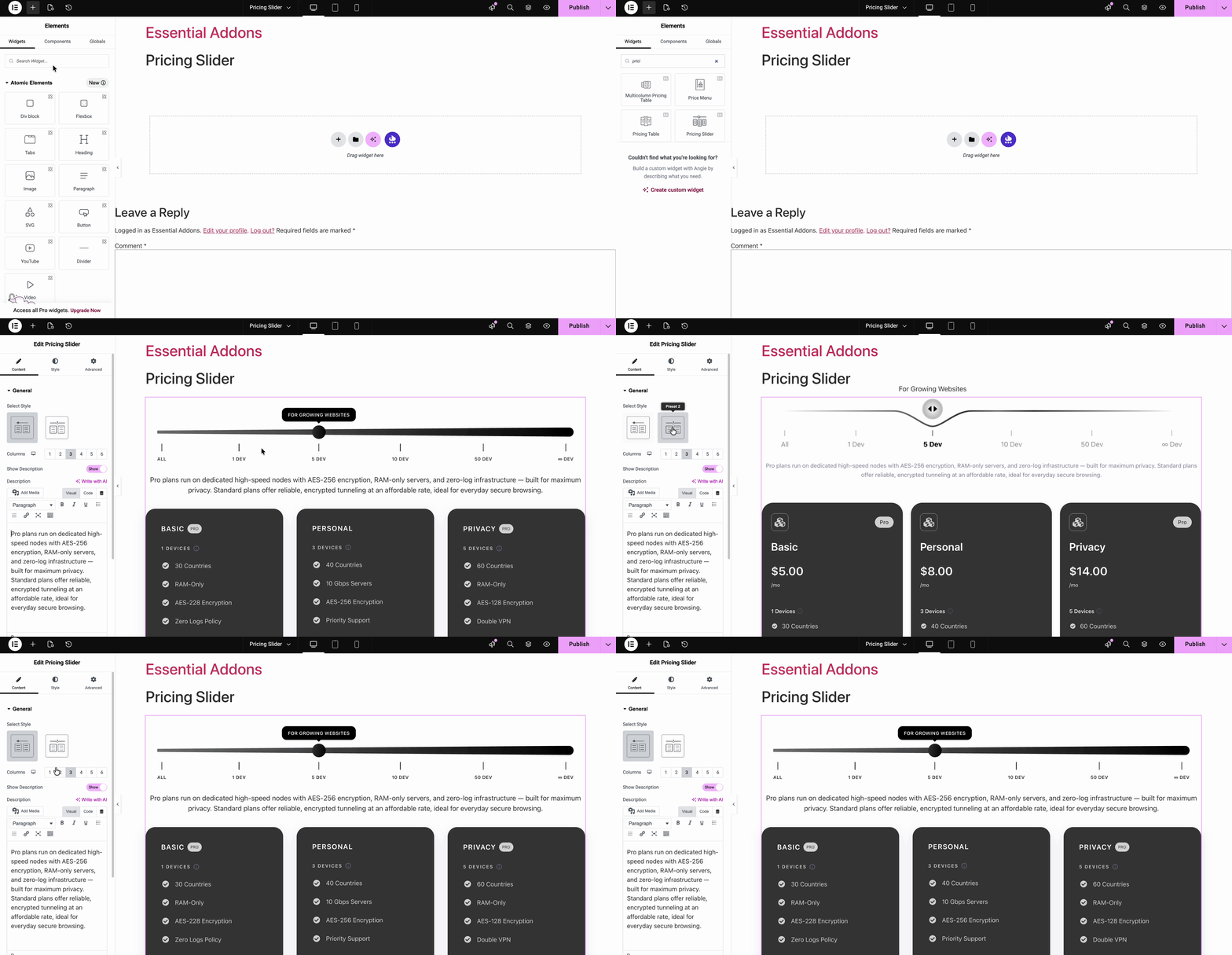
First, select the page or post where you want to add the pricing slider. From the left sidebar, search for ‘Pricing Slider’ and add it on your Elementor page.
Step 2: Configure the Pricing Slider
In the General section, you can quickly set up the basic layout of your pricing chart by choosing how many columns to display and deciding whether to show a description along with it.
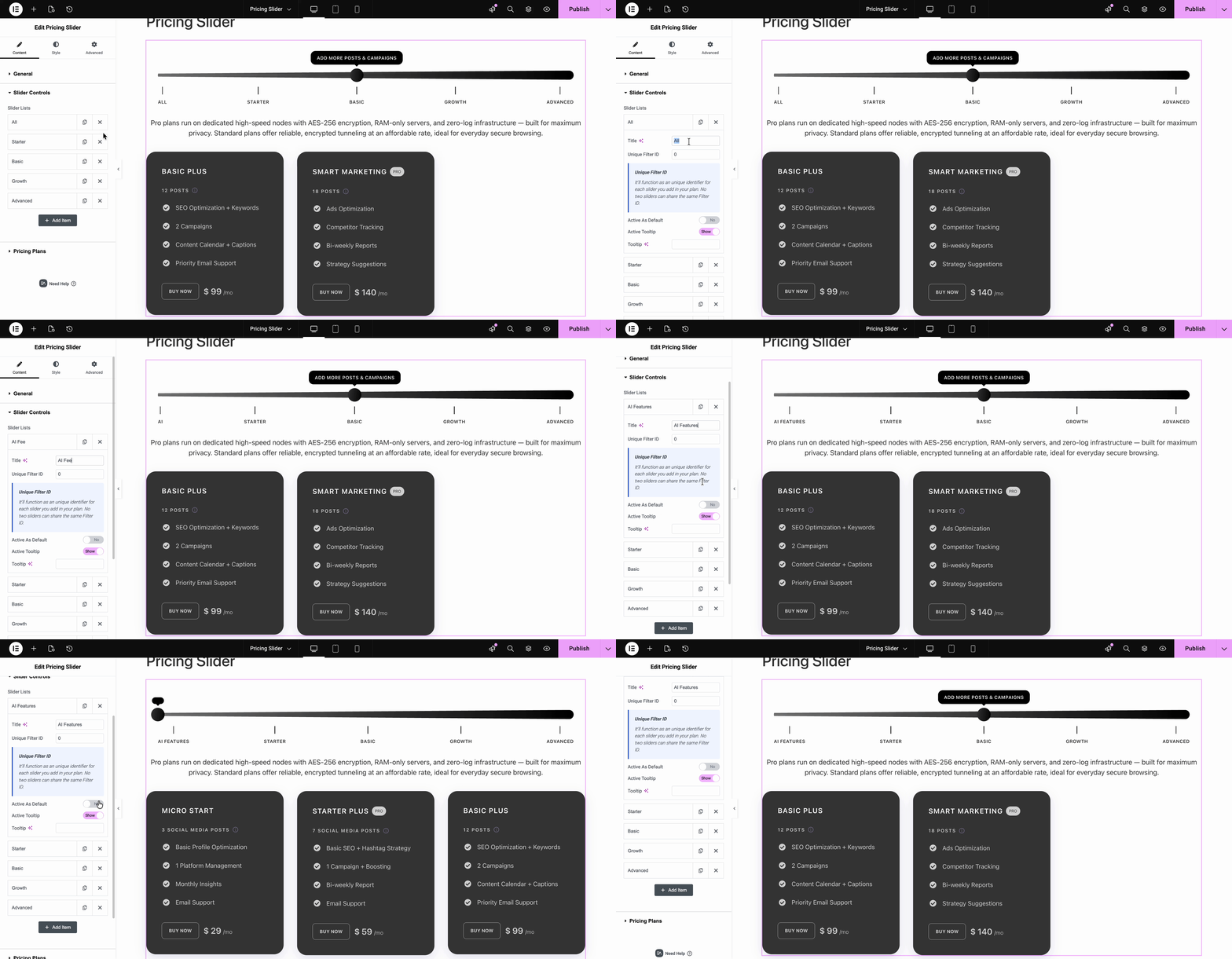
When you get to the Slider Controls, the feature starts to feel especially useful. This is where you can build your feature list, refine the titles, assign Filter IDs and add tooltips for extra clarity. That means you are not just setting up a slider; you are making your pricing easier to understand. Clear titles help visitors scan faster, Filter IDs keep the right plans connected to the right options and tooltips let you explain important details without cluttering the design.
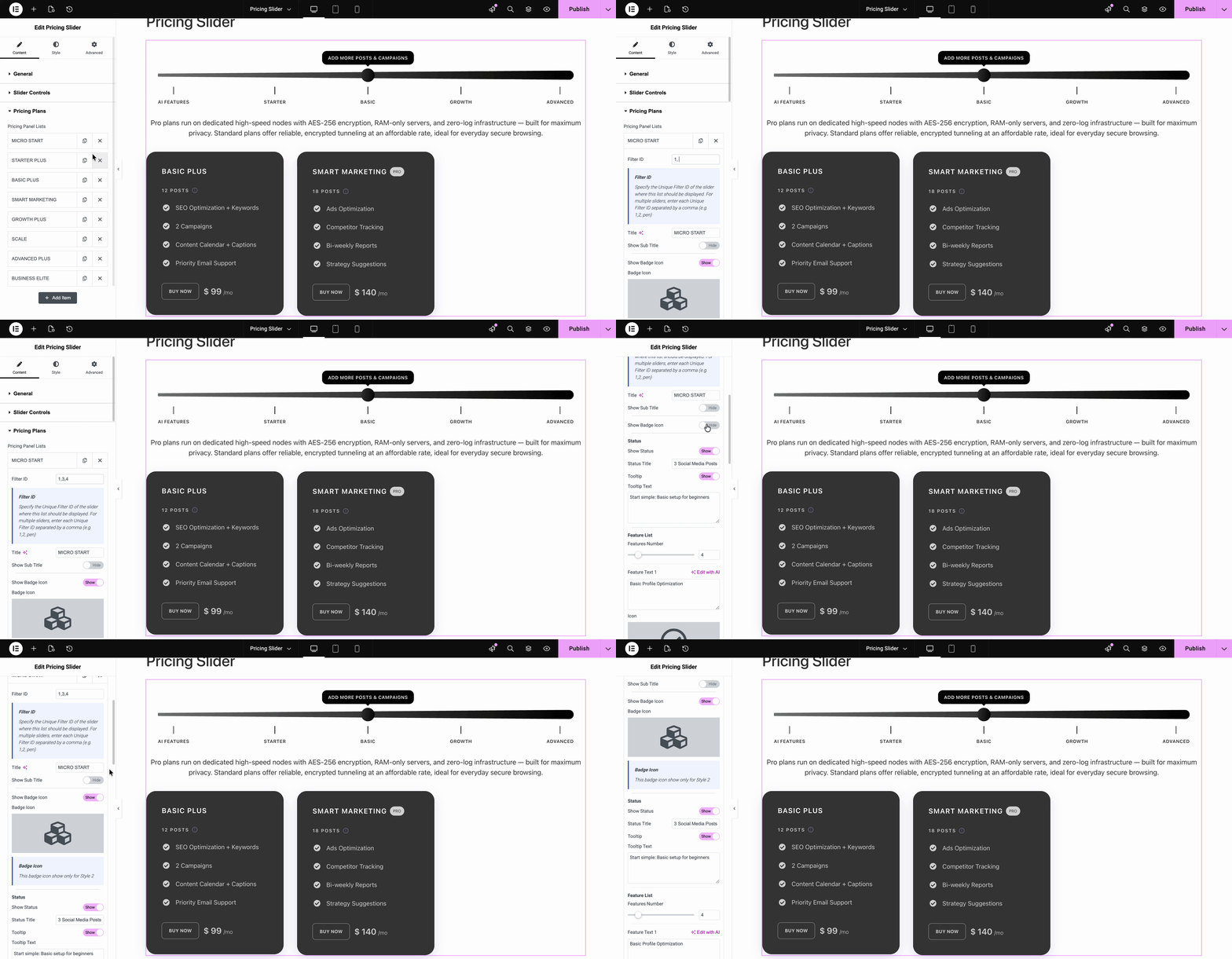
Next comes Pricing Plans, where everything comes together into a complete pricing experience. For each plan, you can add a title, connect it to the correct slider with a Unique Filter ID and customize subtitles, status labels, and the full feature list with icons and tooltips. It gives you more control over how each offer is presented. Instead of showing plain pricing blocks, you can highlight differences between plans more clearly.
Rounding it all off, the Price and Button sections let you set the amount, currency, and billing period, plus add a compelling call-to-action that nudges visitors toward making a decision.
Step 3: Style the Pricing Slider
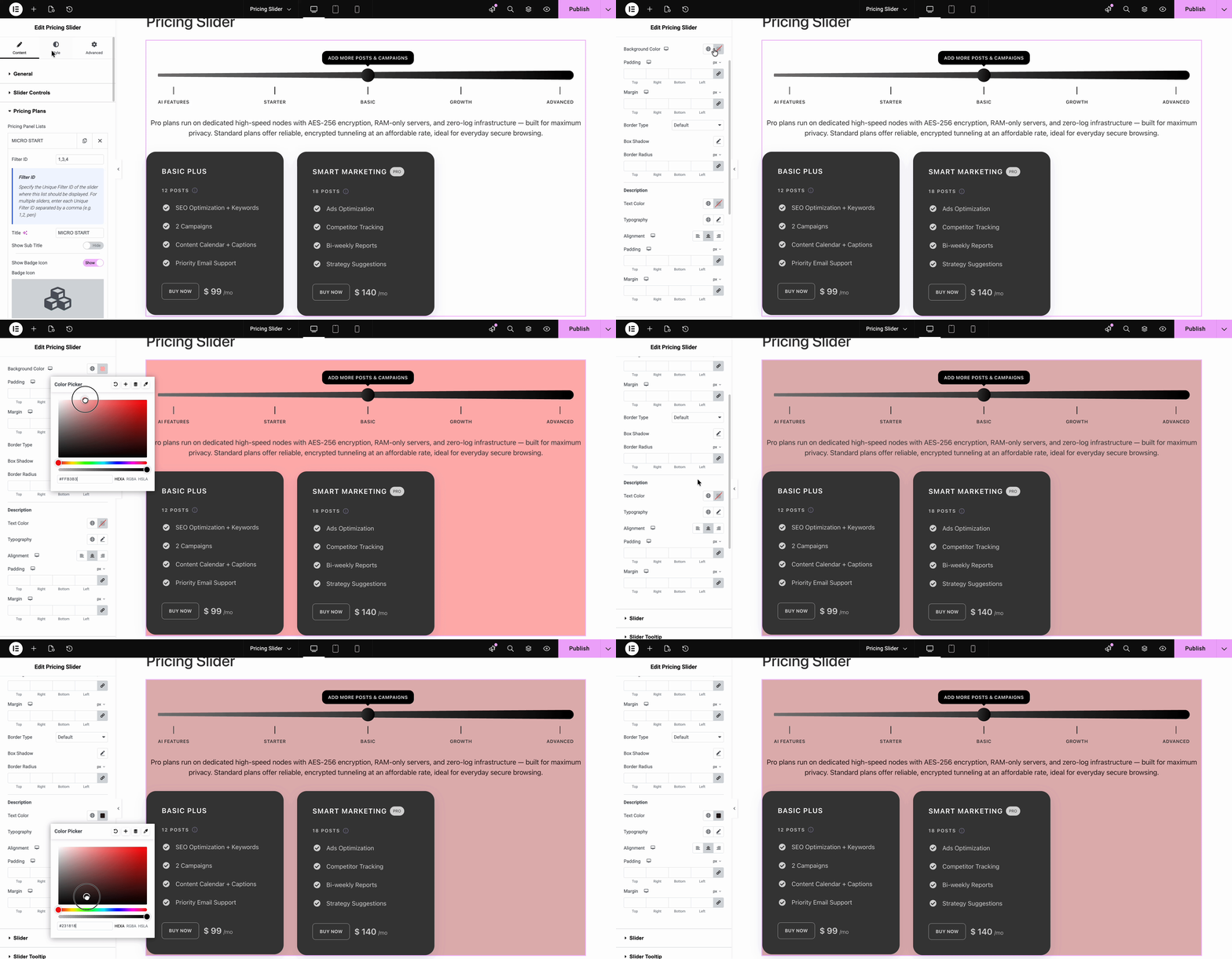
The Style tab gives you full creative control over how your pricing slider looks. For every element in the pricing section, you can fine-tune things like background color, spacing (margin/padding), border type, box style, box shadow and border radius, everything you need to make it blend seamlessly with your site’s design.
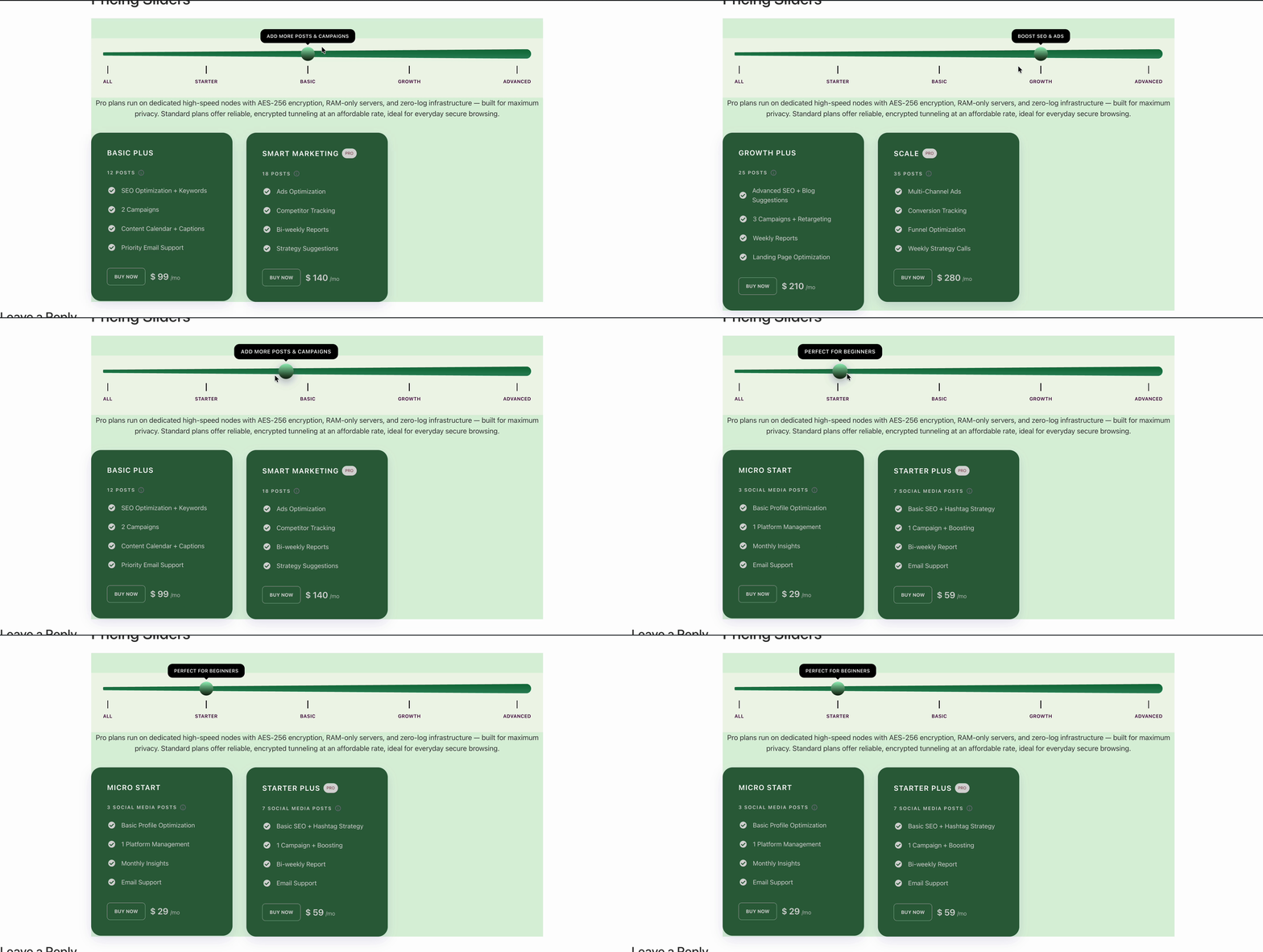
Finally, you will see your pricing slider looking sleek and stylish on your website. You can try out different styles, backgrounds and gradients to make it stand out even more. For a deeper dive into all the customization options, check out the full documentation.
Turn Your Pricing Section Into a Conversion Tool
If you want your pricing page to do more than just list numbers, Essential Addons’ new pricing slider is worth exploring. It brings together interactivity, responsive design, live editing, flexible styling, and monthly/yearly billing options in one Elementor-ready solution. For anyone looking to upgrade beyond a basic pricing table, this feature offers a more modern and conversion-friendly direction.
Now is a good time to rethink how you present your offers. Instead of letting visitors passively scroll through plans, give them a smoother way to engage, compare, and choose. If you are already using Essential Addons, try the new Pricing Slider and turn your pricing section into a stronger part of your sales journey.
Do you have more feature requests for Essential Addons? Share with us in our Facebook Community. Do not forget to subscribe to our blog for the latest updates.
Do I need coding skills to use Essential Addons’ Pricing Slider?
No, you do not need coding skills to use it. Essential Addons presents the Pricing Slider as a no-code Elementor widget, so you can create, edit, and style your pricing section directly from the builder interface.
Can I show both monthly and yearly pricing with the Pricing Slider?
Yes, the Pricing Slider supports monthly and yearly billing options. This makes it a practical choice for subscription-based businesses, SaaS products, agencies, and any website that wants to highlight flexible billing cycles or annual savings.
Will using the Pricing Slider slow down my website?
It should not significantly slow down your website when used properly. Essential Addons provides controls to enable or disable elements you are not using, which helps reduce unnecessary server requests and improve overall site performance.
Will the Pricing Slider stay compatible with future Elementor updates?
Essential Addons appears to actively maintain compatibility with Elementor updates. Its changelog includes compatibility-related updates, such as added support for newer Elementor versions. That said, it is still a good practice to test major updates on a staging site before applying them to a live website.
Is the Pricing Slider mobile responsive?
Yes, the Pricing Slider is designed to work smoothly across different screen sizes. Essential Addons highlights that it looks and performs well on mobile, tablet, and desktop devices right out of the box, which helps keep the pricing experience user-friendly everywhere.