
Learn the step-by-step guide below to stack the second coupon of Essential Addons for Elementor.
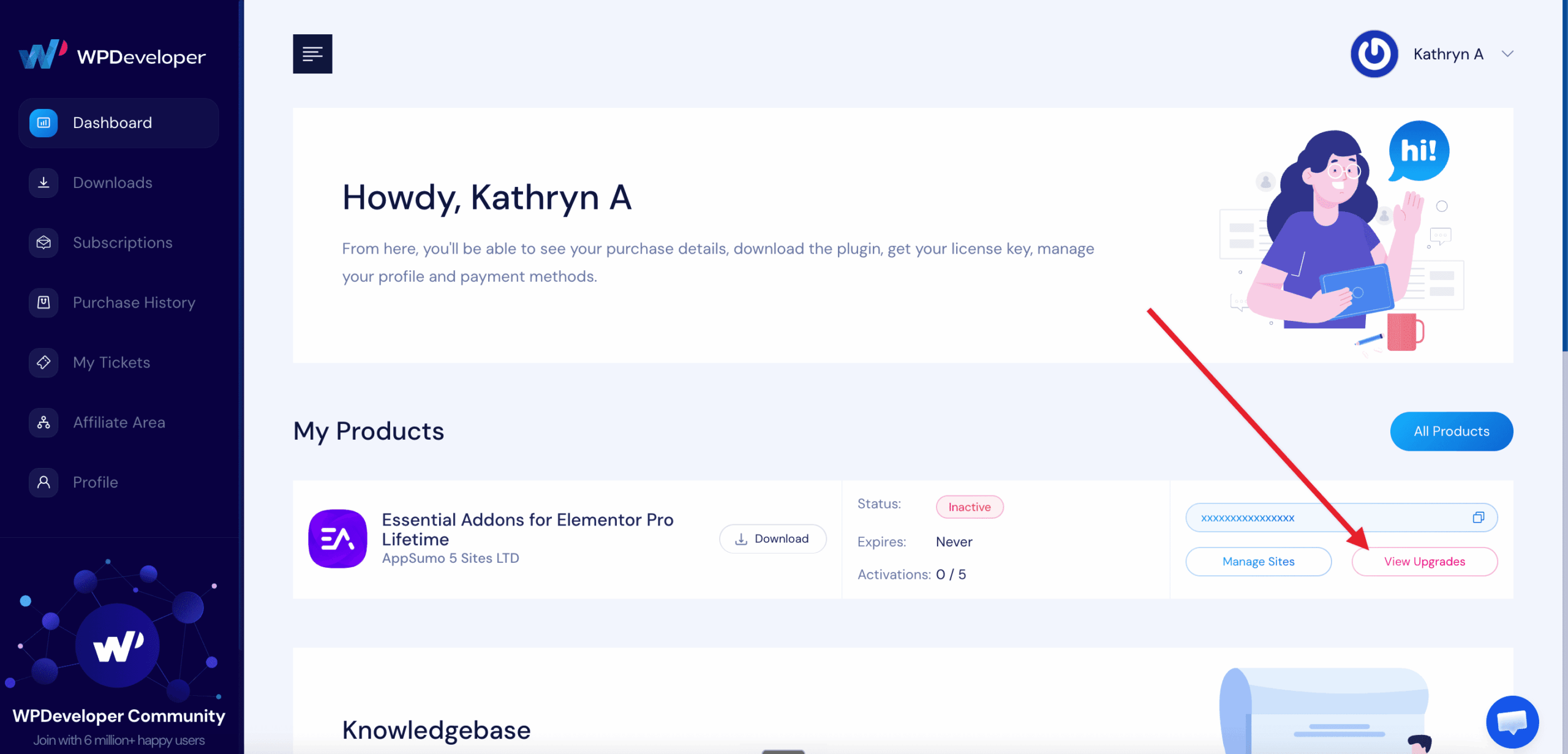
1) Log in to your WPDeveloper Account and click ‘View Upgrades’ from your Essential Addons for Elementor License Details.
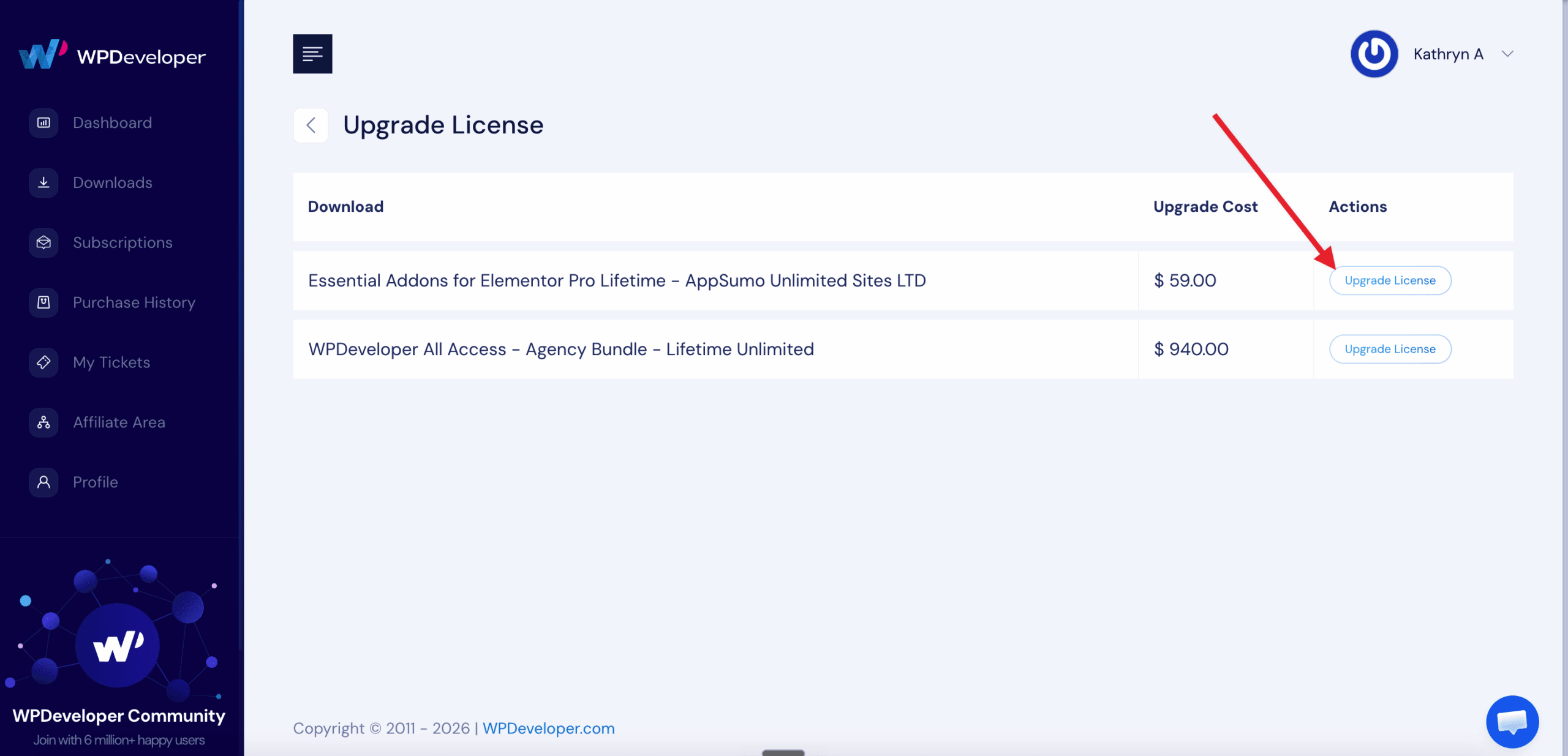
2) Select “Unlimited Sites” from the upgrade option.
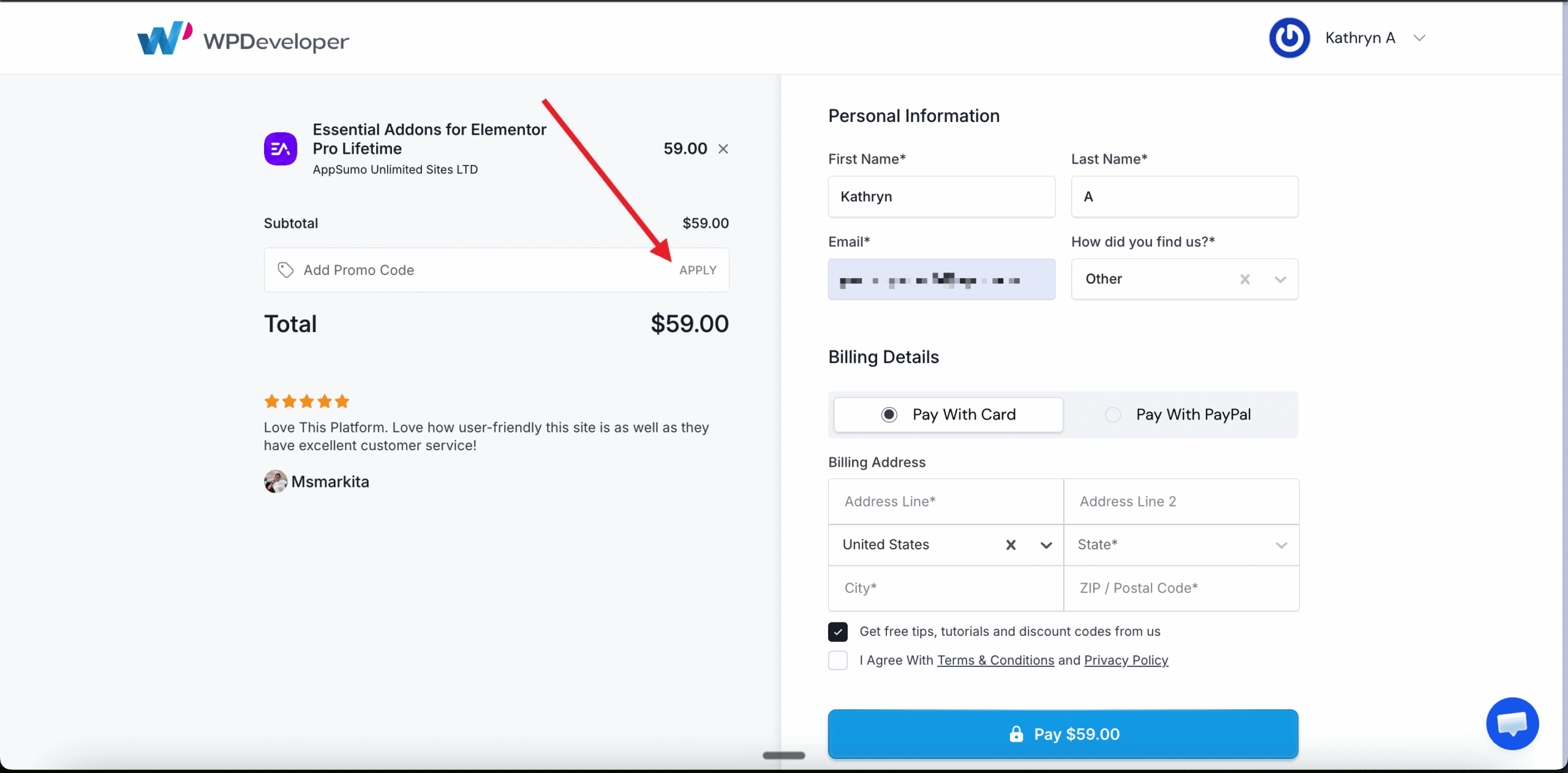
3) Enter the AppSumo Code for the stack in the ‘Add Promo Code‘ section of the checkout form.
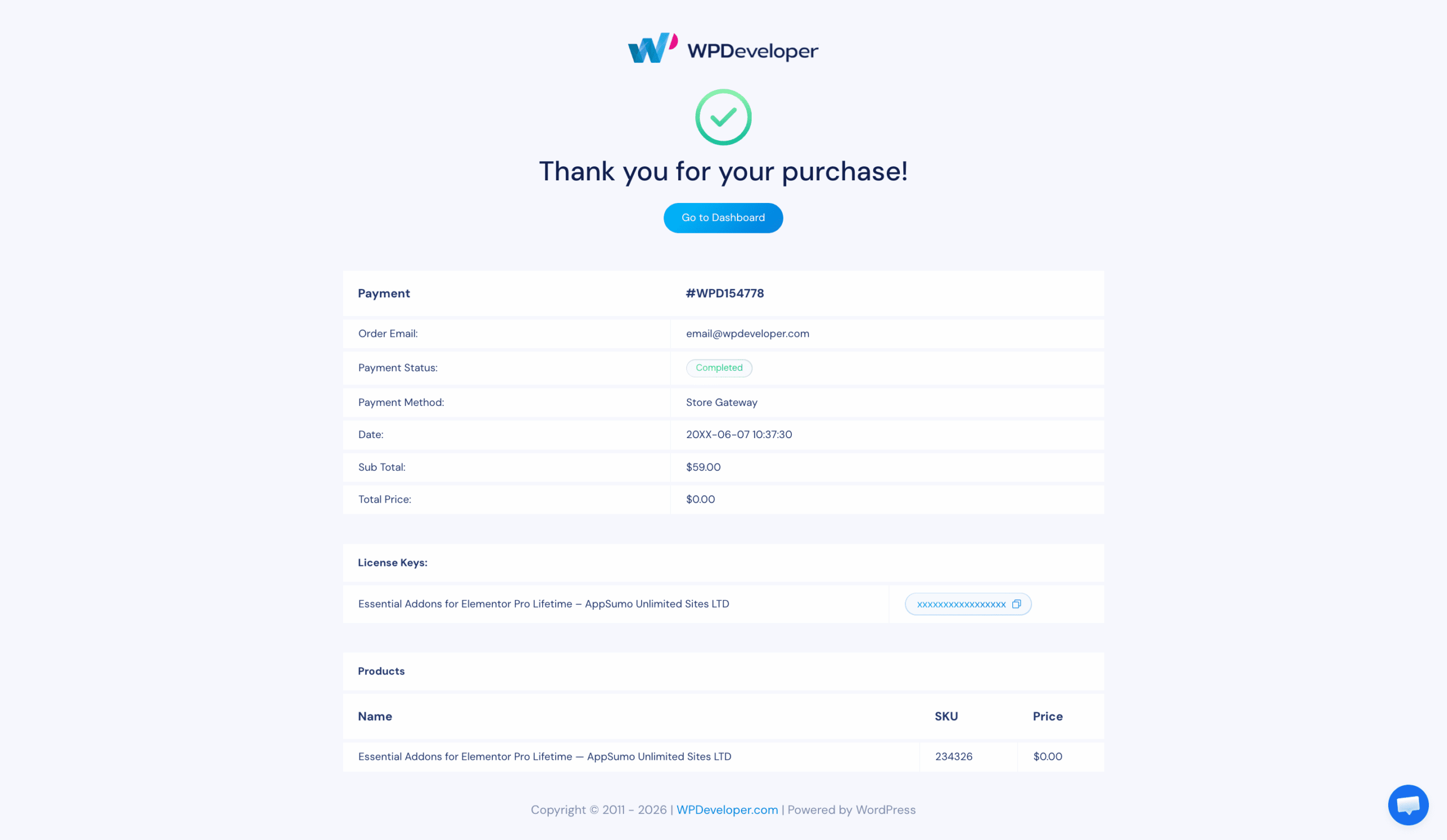
4) After completing the purchase, your license will be upgraded to Unlimited Sites.
Getting stuck? Our support team is here to help you!